

Flying
Trip sheets, itineraries and recaps
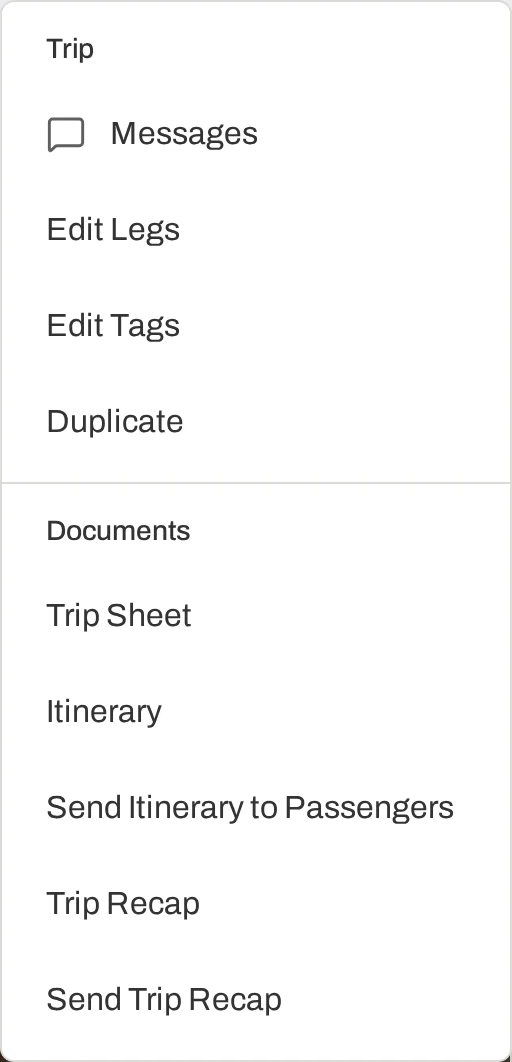
Each trip makes its own documents from what's on it. Open them from the trip's **Actions** menu, under **Documents**.
| Document | For | What it holds |
|---|---|---|
| Trip Sheet | Crew and the office | The whole trip: legs, times, crew, passengers, FBOs, services and notes. |
| Itinerary | Passengers | Times, airports, handlers, the aircraft, the pilots' and passengers' names. Nothing for crew only. |
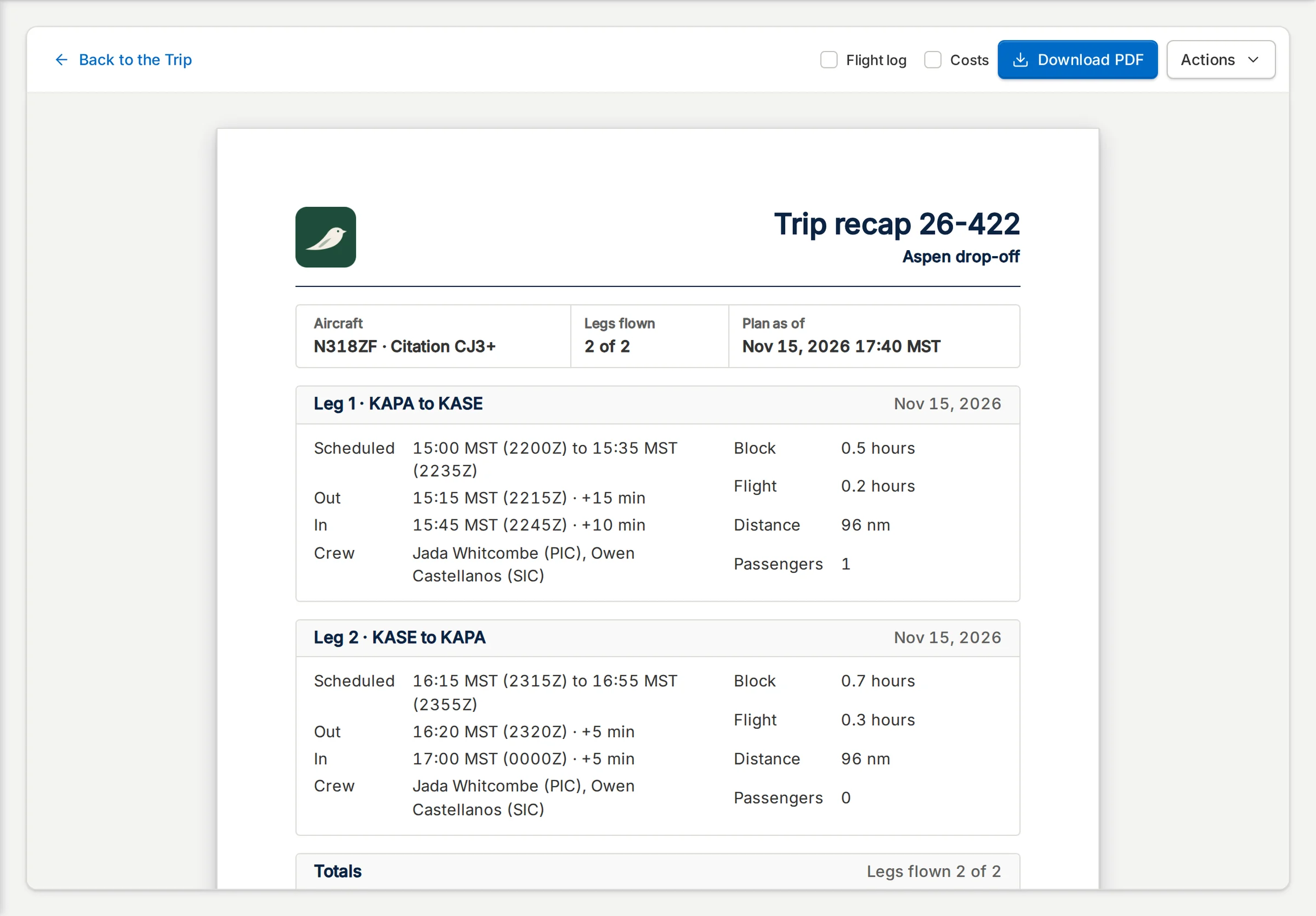
| Trip Recap | The client or owner, after the trip | Each leg as scheduled and as flown, crew and passenger counts, and, if you choose, the flight log and costs. |
Releasing a trip also emails three versions of the trip sheet: the crew trip sheet, the passenger sheet with directions, and the owner's trip sheet. See Release a trip for who gets which.
Open and download
- On the trip, click Actions and pick a document under Documents.
- It opens full size. Click Download PDF for a copy, or Actions for Share, Links and Full Screen.
- Click Back to the Trip when you're done.
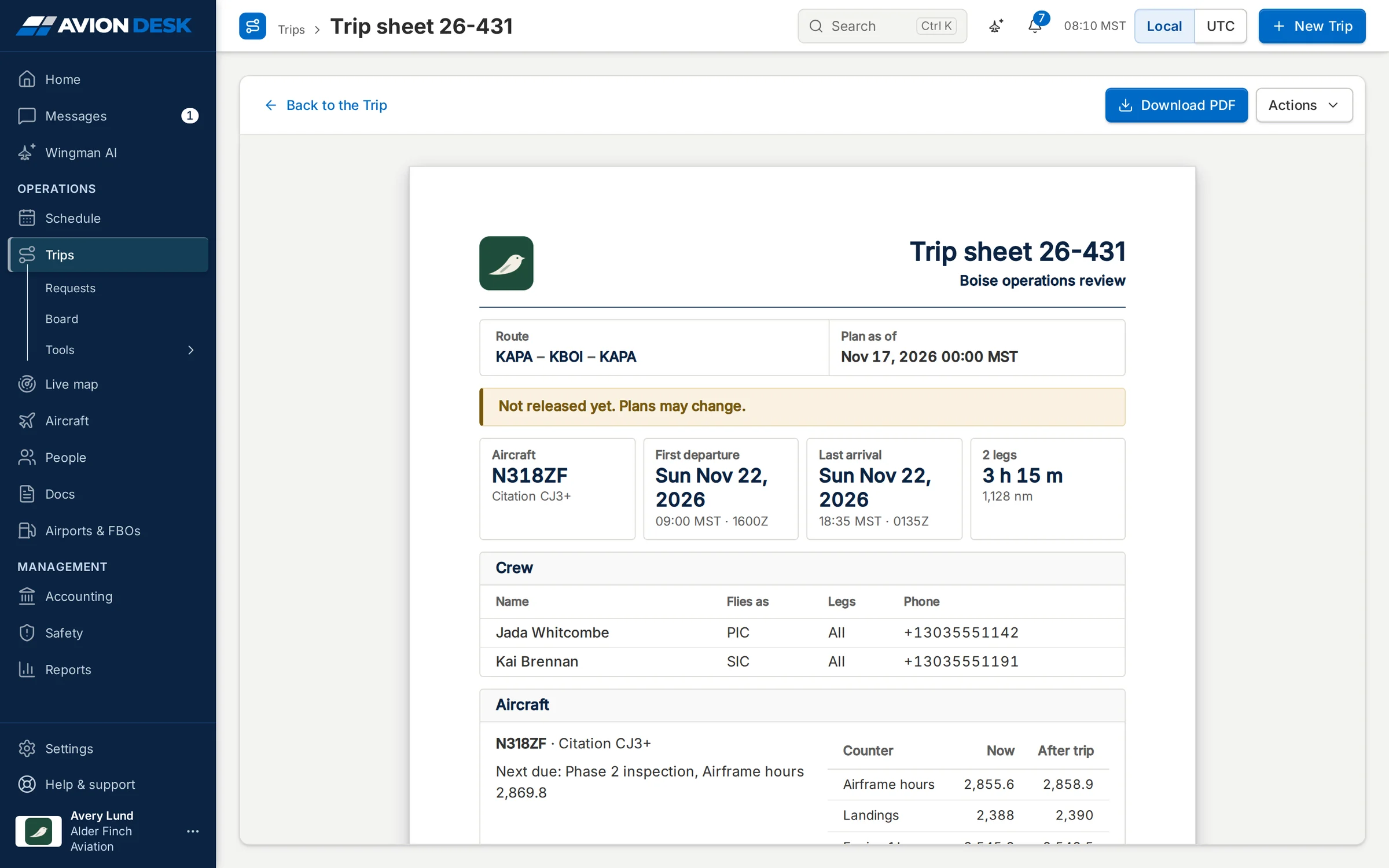
The office and the crew seated on the trip can open the trip sheet and the itinerary. The recap is also open to anyone who sees accounting. Crew find their trip sheets on My trips too, with Save PDF, and those work with no connection.
The itinerary
Pick who it's for under Itinerary for: the whole trip, one leg, or one passenger. Only a confirmed trip can be shared or sent.
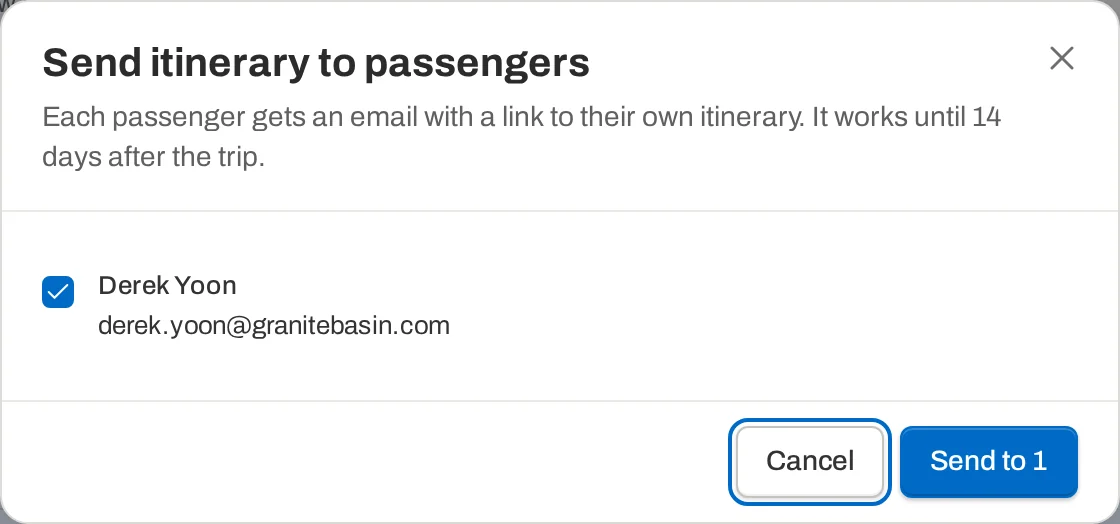
- Click Actions, Send Itinerary to Passengers.
- Tick the passengers to email. Anyone with no email address says No email.
- Click Send to and the count.
The trip recap
Once a leg is logged, the recap shows each leg as scheduled beside how it flew. Tick Flight log to add the logged times, and Costs (if you see accounting) to add the aircraft's typical costs. To email it, click Actions, Send Trip Recap: tick the client's addresses under From the client, add any Other email, choose what it shows, and send.
Share a link
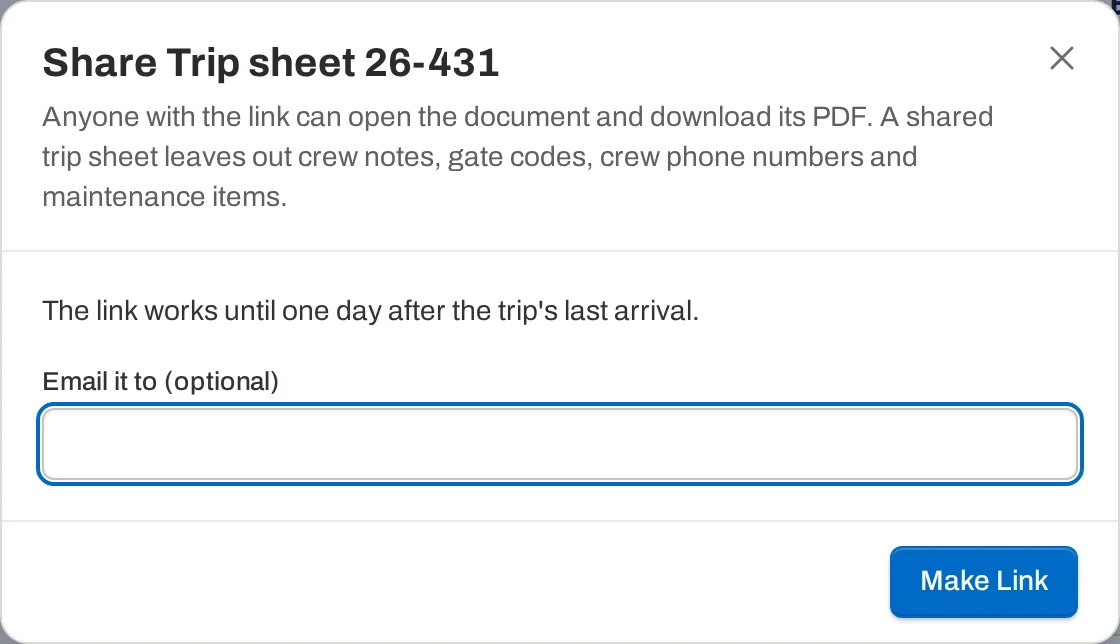
A share link opens a read-only copy in any browser, with no sign-in, and a PDF download.
- Open the document and click Actions, Share.
- For an itinerary or recap, pick how long it lasts under Link works for. A trip sheet's link works until one day after the trip's last arrival.
- Add Email it to (optional) to send it, and click Make Link.
- Copy the link. It's shown only once.
| Document | Link works for |
|---|---|
| Trip sheet | Until one day after the trip's last arrival. |
| Itinerary | 7, 14, 30 or 90 days after the trip. 14 unless you pick. |
| Trip recap | 7, 14, 30 or 90 days from when you make it. 30 unless you pick. |
Links lists every link made for that document: Live, Ended or Revoked, and how many times it was opened. Revoke stops a link at once. A canceled trip's documents can't be shared.
Can’t find what you need? Email [email protected] and a person will answer.