

Trips
Airports and FBOs
**Airports & FBOs** in the sidebar finds airports around a point and compares the FBOs at each one. Everyone who can see trips can open it.
Find airports around a place
- Click Airports & FBOs in the sidebar.
- Type a code, name or city under Airport and pick it from the list.
- Set Radius (NM) to widen or narrow the search.
- Set Minimum runway (ft) and tick Hard surface to hide fields your aircraft can't use.
- Choose what to price under Compare, such as Jet A, full service.
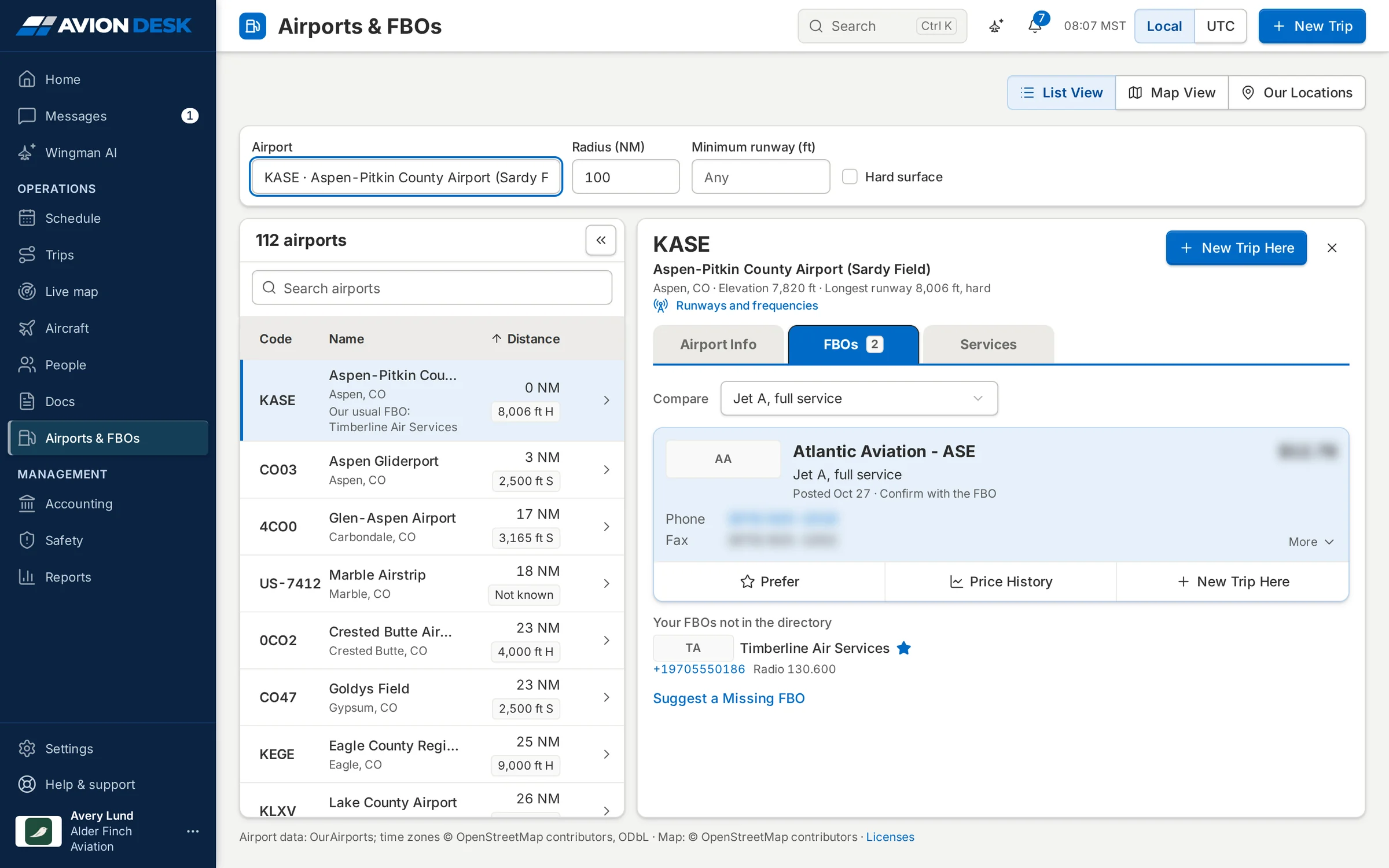
List View shows the airports as a table. Map View puts them on a map; click anywhere on the map to search around that point. Our Locations lists your own places, such as your bases.
Look at one airport
Click an airport to open its panel: elevation, longest runway and Runways and frequencies. Three tabs sit below:
- Airport Info: type, codes, time zone, position, and your trips there this year.
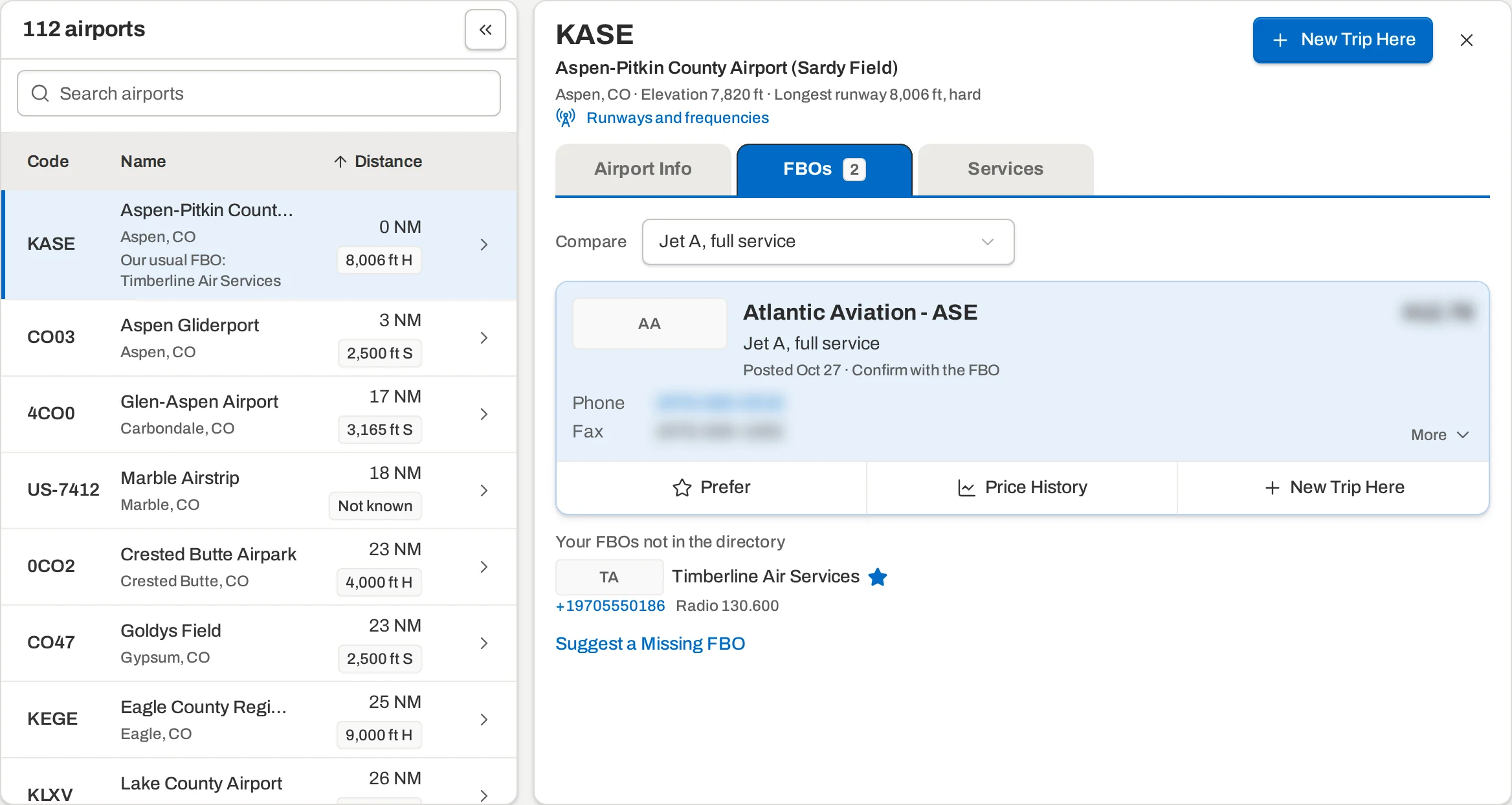
- FBOs: each FBO with its posted price for the fuel you compare, phone, and more contact details under More.
- Services: what the airport offers.
Work with an FBO
- Prefer marks the FBO your company normally uses at that airport. It is offered first when you pick an FBO on a leg.
- Price History shows past posted prices.
- New Trip Here starts a new trip whose first leg lands at this airport and this FBO. New Trip Here at the top of the panel does the same without an FBO.
- More opens the full contact details and, when the FBO is one of your vendors, the Crew notes from its vendor record.
Prefer and New Trip Here are for Admins, Schedulers and Trip builders.
Where your company has its own negotiated price on file, the card shows Your price instead of the posted one.
Report a mistake or a missing FBO
The directory is shared by every operator. If a listing is wrong, open More on the card and use Report a Problem. If an FBO is missing, click Suggest a Missing FBO under the list. We check each report and fix the directory.
Vendors and fuel pricesYour own vendors and fuel prices.
Can’t find what you need? Email [email protected] and a person will answer.