

Flying
The flight log
Each leg's log records what flew. It moves the aircraft's counters, counts toward crew flight and duty time, and lets the trip be completed.
Who logs
- The leg's PIC or SIC, and anyone who builds trips (Admin, Scheduler, Trip builder).
- Everyone who can see the trip can read its logs.
- Only the office can void a log.
The trip needs an aircraft first. A leg can be logged from 24 hours before it departs. To let pilots start earlier, an Admin sets Start flight logs early under Settings, Trips & duty, from 1 to 10 days or any time. Then the log form also offers Save for Later. A started log counts for nothing until it's finished after the flight. On a phone, Block Out on My trips opens at the same time as the log.
Log a leg
- Open the trip and click the Flight log tab. Pilots can also start from My trips, with Log leg 1 on the trip's card.
- Click Log on the leg.
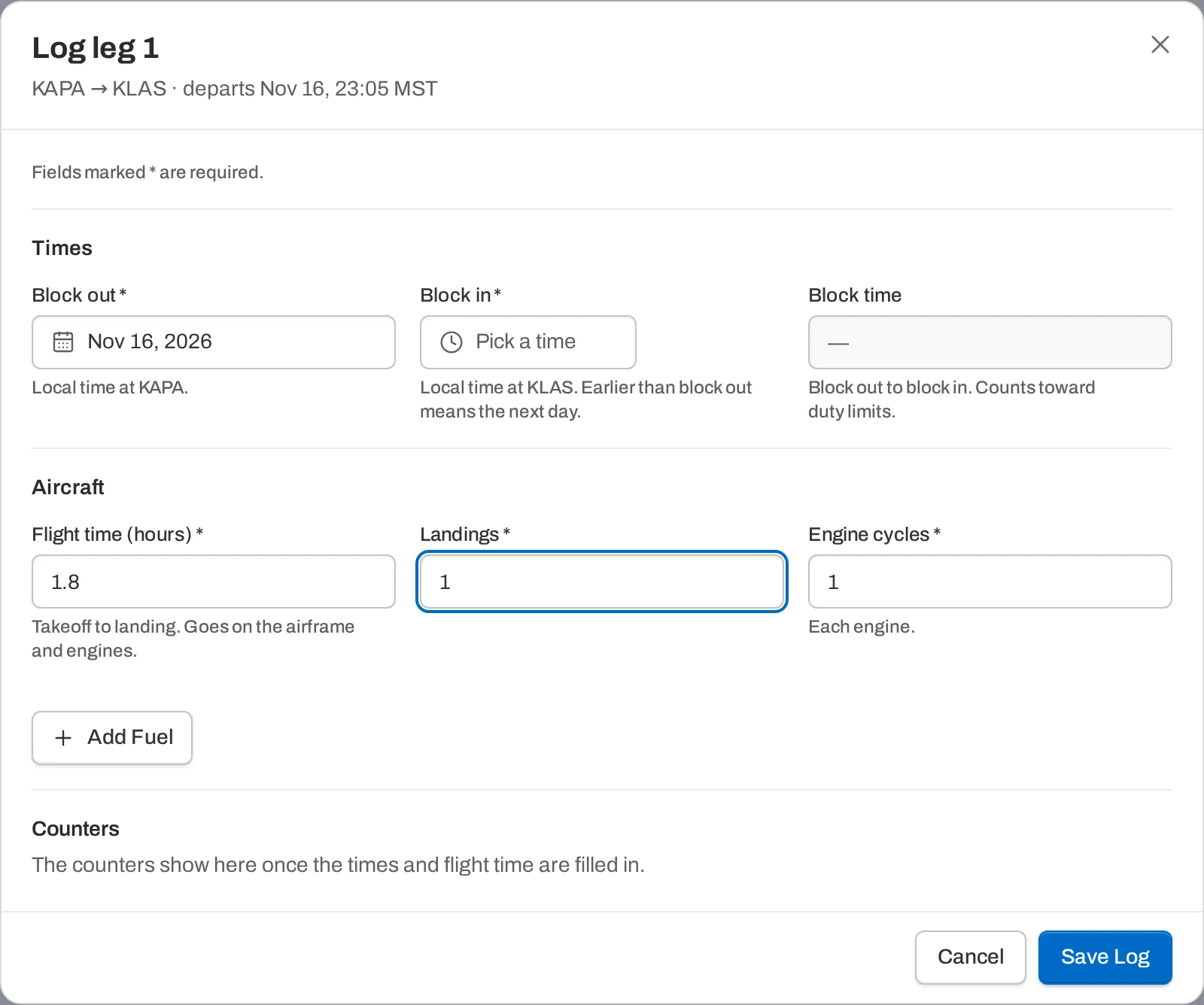
- Under Times, set Block out and Block in, each in local time at its airport. A block in earlier than block out is the next day. Block time fills itself in.
- Under Aircraft, enter Flight time (hours), Landings and Engine cycles, plus anything else your aircraft asks for, like Hobbs (hours) or APU cycles. Click Add Fuel to record fuel.
- Check Counters: it previews how the aircraft's hours and cycles move.
- Click Save Log.
| Figure | Means | Counts toward |
|---|---|---|
| Block time | Block out to block in. | Crew duty limits and trip figures. |
| Flight time | Takeoff to landing. | The airframe and engine hours, and pilots' flight time. |
| Hobbs | The time this leg ran the meter, not the meter's reading. | Aircraft that track Hobbs. |
What the tab shows
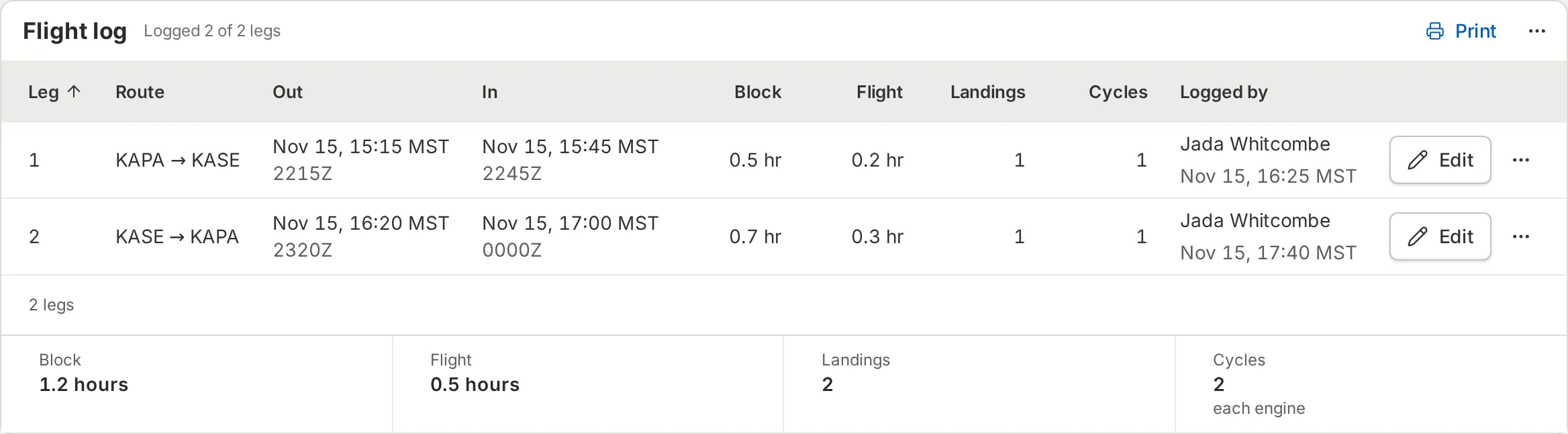
One row per leg: its route, Out, In, Block, Flight, Landings, Cycles and Logged by. A leg past its arrival with no log shows a red Not logged. A started log shows Started. The heading counts what's done, like Logged 2 of 2 legs, and the trip's totals sit under the table. Print opens the trip recap.
Pilot flying
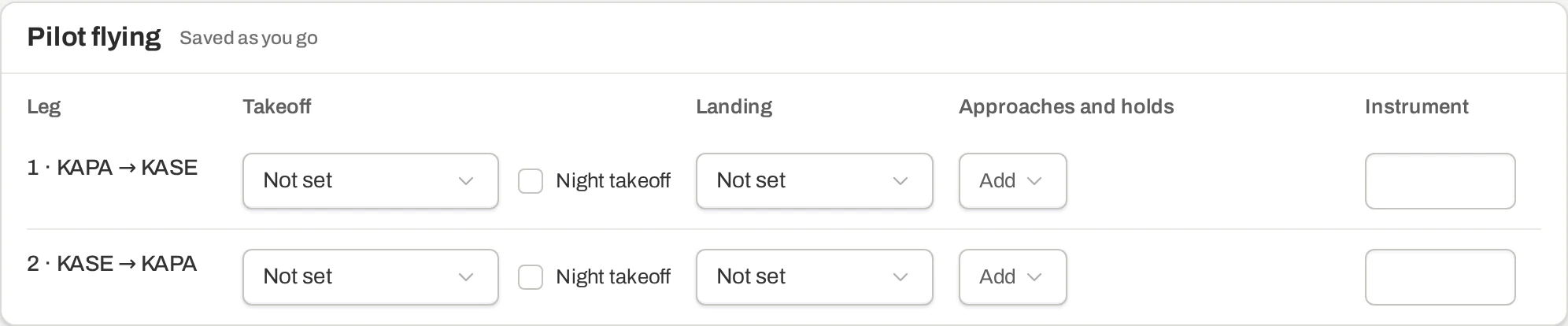
Under the table, each logged leg has a row for who made the Takeoff (tick Night takeoff if it was) and the Landing, the Approaches and holds in the order flown (pick from Add), and Instrument (hours). Each one saves as you pick it. This is what pilot currency is counted from, when your company tracks it.
Aircraft counters
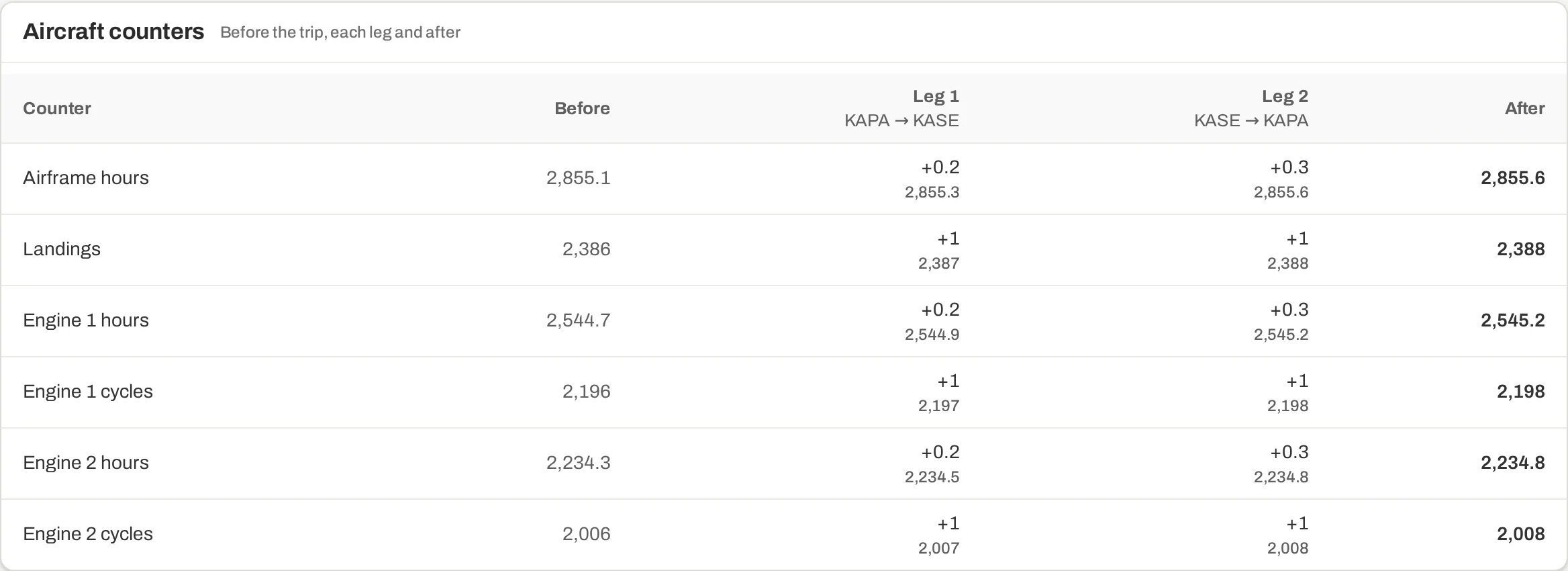
The Aircraft counters card shows each counter before the trip, each leg's change, and the total after. While the aircraft has no counters yet, someone who edits aircraft can click Set Starting Counters to set its starting figures. Once they're set, change them on the aircraft's Maintenance tab.
Maintenance items and sign-offHow counters drive what comes due.
Correct or void a log
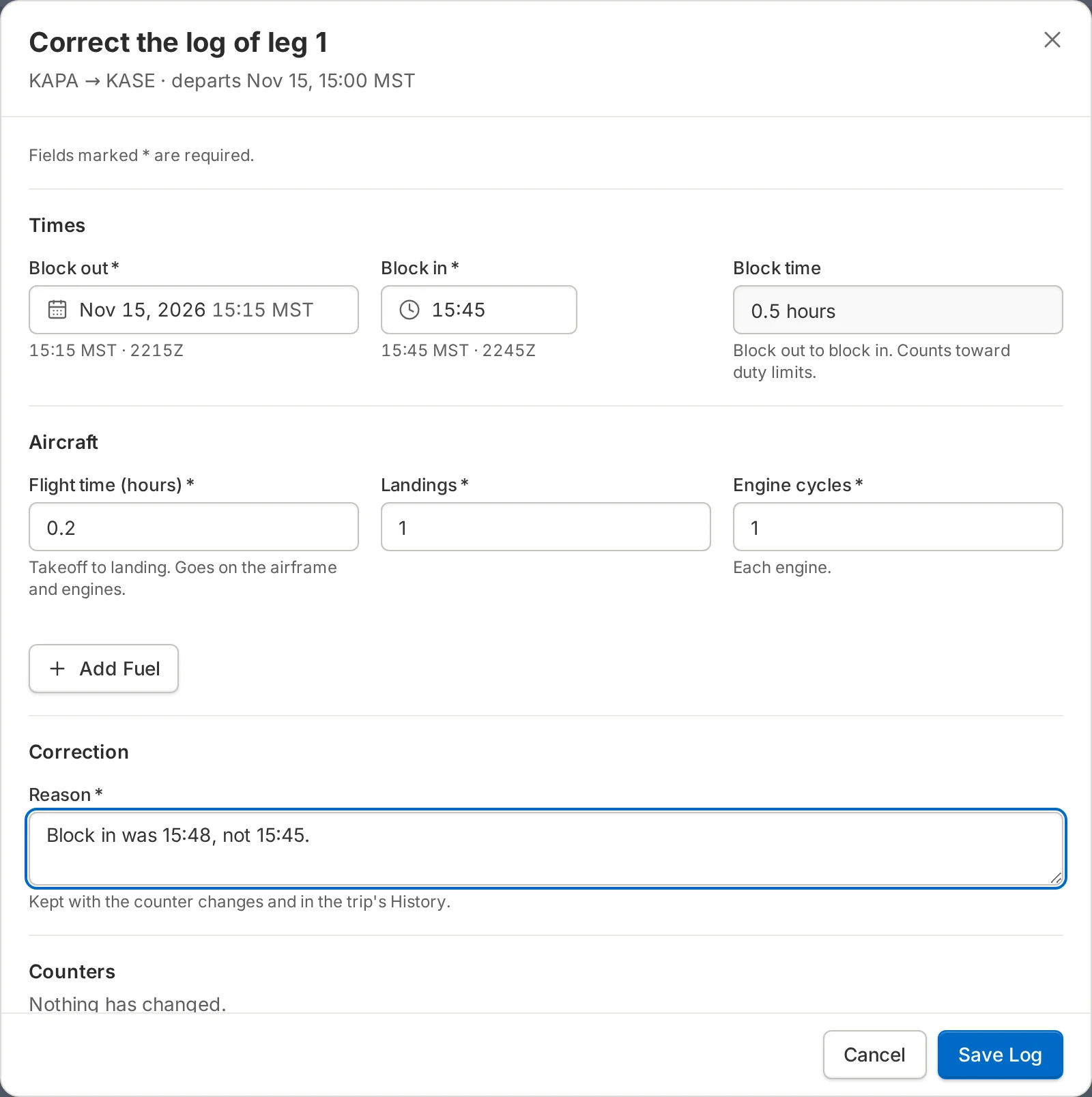
Click Edit on a logged leg to correct it. The form opens as Correct the log of leg 1 and asks for a Reason, kept with the counter changes and in the trip's History. The office can also pick Void from the leg's menu, with a reason. A voided log stops counting, and the leg can be logged again.
Sign the log
An aircraft can ask for a signature on every log. Whoever edits aircraft sets this, with Hobbs, fuel, night landings, distance and the other optional fields, under the aircraft's counters: click Change beside the log fields line. The leg's PIC then signs with Sign This Log from the leg's menu, using the signature saved in My details. A log corrected after signing reads Changed after signing and offers Sign Again.
Notes and offline logging
- Notes at the foot of the tab hold anything the next crew or the office should know. The office and the trip's crew write them; everyone who sees the trip reads them.
- Crew can log with no signal. The log is saved on the device and sent when it's back online. If the office changed the log meanwhile, you see both versions and choose.
Trip sheets, itineraries and recapsThe trip recap, built from the log.
Can’t find what you need? Email [email protected] and a person will answer.