Quotes
Build each quote from the aircraft’s rate card, send it to the client’s portal, and bill the trip from it once they accept.
On the Charter plan

Build each quote from the aircraft’s rate card, send it to the client’s portal, and bill the trip from it once they accept.
On the Charter plan
Each aircraft has one rate card: an hourly rate on block or flight time, a rate for empty legs as a share of the hourly rate, and an optional daily minimum in hours and trip minimum. A flight-time card takes a taxi allowance off each leg. A sample trip is priced as you type, so you see what the card charges before you save it.
Add up to 20 fees in your own words, each charged per leg, per passenger per leg, per night, per day, per billed hour or per trip, and marked taxable or not. Changing a card never reprices a quote you’ve already made.
Make a quote from a trip on the schedule, from a trip request, or from New Quote, which drafts the trip for you and keeps it off the schedule until the client says yes.
Each leg with passengers becomes an hourly line at its scheduled block time, in tenths of an hour. A leg without passengers is priced as positioning, and then come any minimums and the card’s fees. Edit any line or add your own, a discount included. Rebuild keeps the lines you’ve edited.
Federal excise tax (7.5% to start), the domestic segment fee and the international arrival and departure tax are worked out on every save, never typed in. Switch one off on a quote when it doesn’t apply.
Sending freezes the quote and emails the client a link to review it in their portal. Each quote carries your logo and letterhead, a number such as Q-26-432-1, and a date it’s good until (14 days to start). You can also download it as a PDF or copy a link to it.
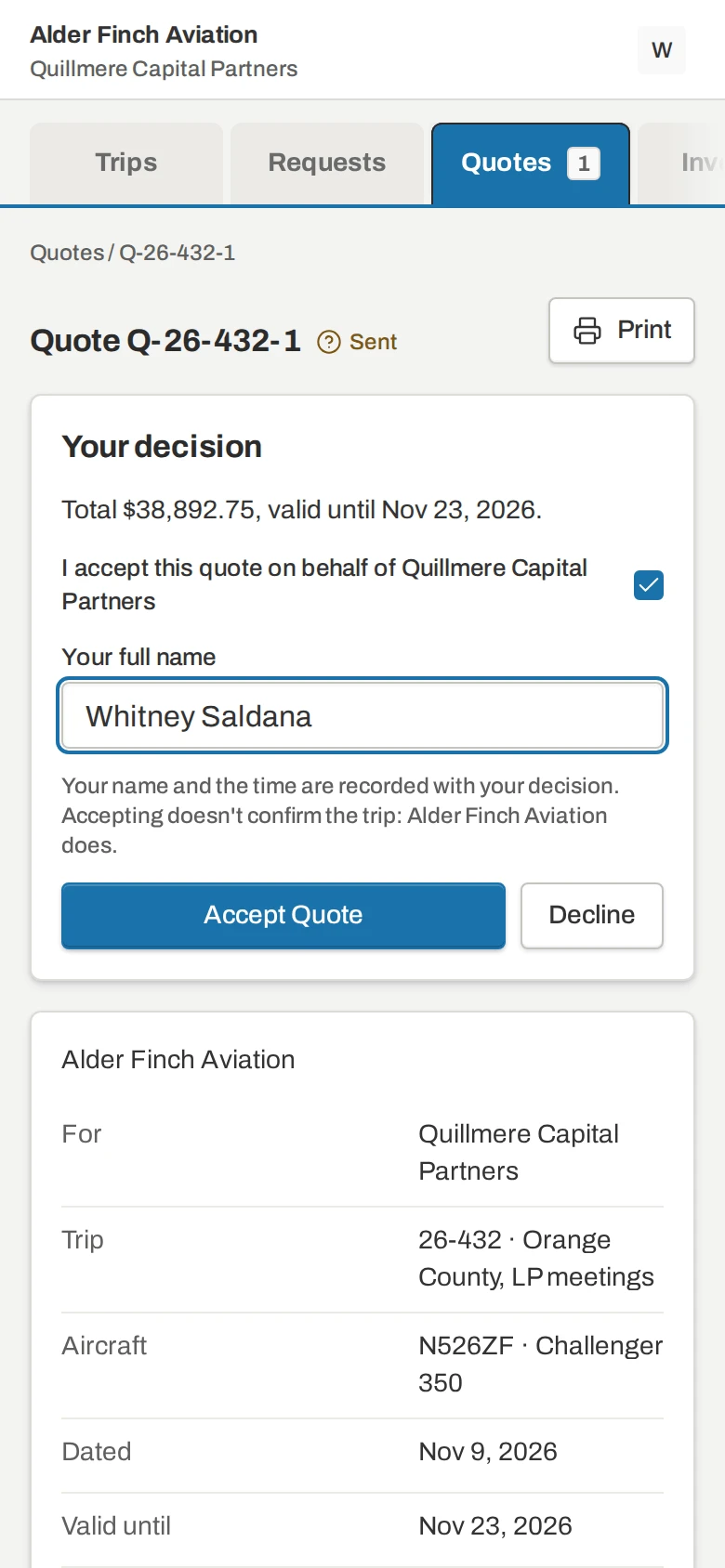
The client ticks that they accept on behalf of their company and types their full name. The name and the time are recorded with the decision. A yes by phone or email is recorded by the office, with a note of how the client gave it.
Accepting doesn’t confirm the trip; you do.
Once its date passes, a sent quote is lapsed and can’t be accepted. Revise makes a new draft with the next number, and sending it replaces the old one.
Bill an accepted quote as it stands, or bill the trip from what was flown, with the rate card applied to the flight log. The invoice links back to the quote and takes its due date from the quote’s terms.
The quotes list shows what’s in draft, sent, accepted and lapsed, with a count and a value for each, and downloads as CSV. The Quotes won and lost report gives your win rate and the days to accept.
How to price a charter trip under Part 135: hourly rate, positioning, daily minimums, crew and airport fees, federal excise tax, and a worked quote.
Federal excise tax on aircraft management fees: what the 4261(e)(5) exemption covers, who counts as the owner, and where the 7.5% tax still applies.
How the charter revenue split between an aircraft owner and a Part 135 operator works: the base, what each side pays, excise tax, and a break-even example.
Each client has its own portal, where its contacts see their trips and request new ones. On Charter they also accept quotes and read invoices there.
ExploreTeam conversations and direct messages, and a thread on every trip for the discussion about that trip.
ExploreManuals, memos and forms in folders, each visible to the roles you choose. Mark a document Must read and see who has read the current version.
ExploreWe’ll walk through it with you on a call, at a time you choose. Or run it for 30 days on your own aircraft and crew.