
Trips and scheduling
Build a trip leg by leg and see it on the calendar. Each time you save, you see whether the aircraft and the crew can fly it.
On the Department and Charter plans
Build a trip leg by leg and see it on the calendar. Each time you save, you see whether the aircraft and the crew can fly it.
On the Department and Charter plans
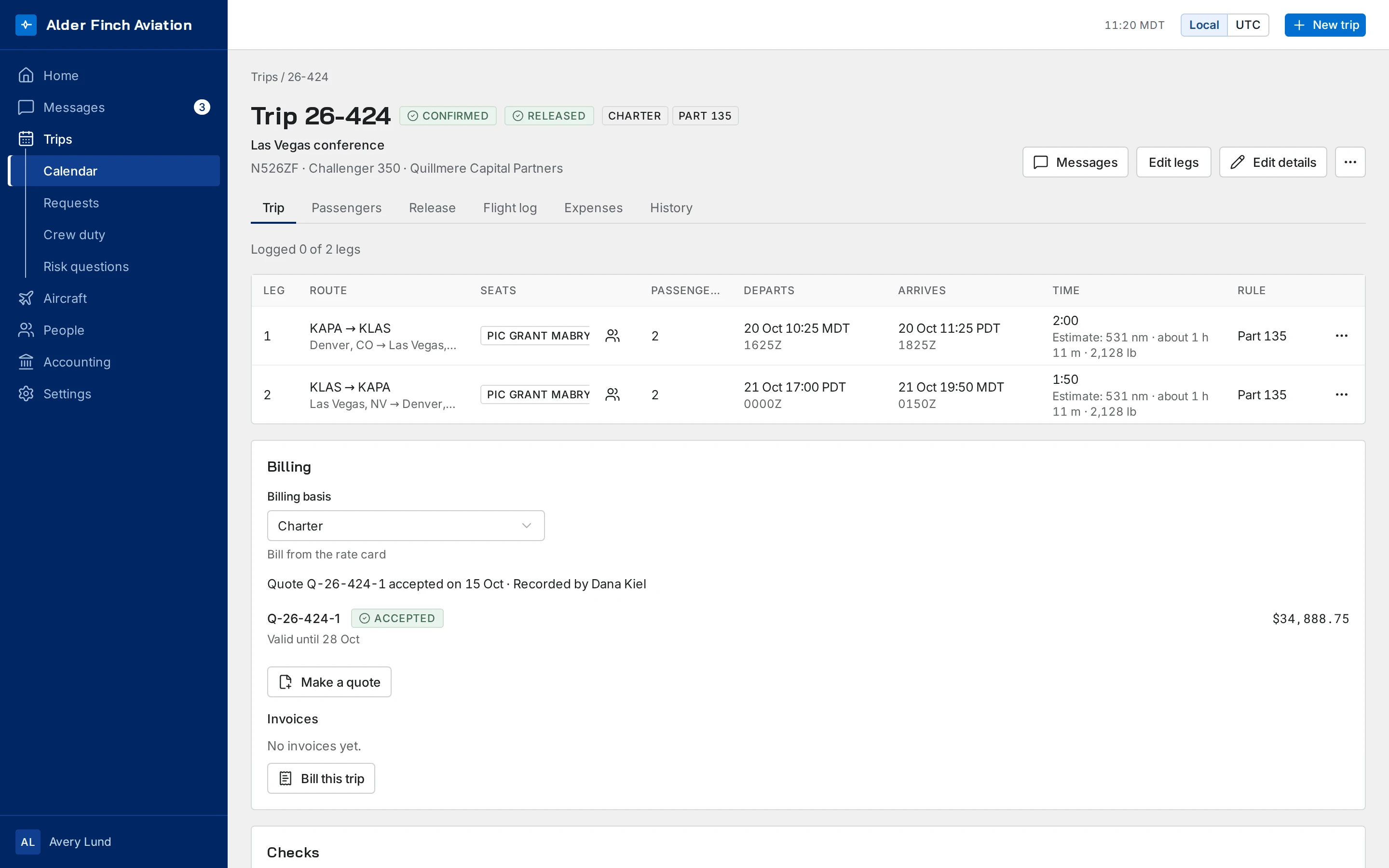
Add legs one at a time. Find each airport by its code or its name, and pick the aircraft.
Trip numbers can carry a prefix you set per aircraft.
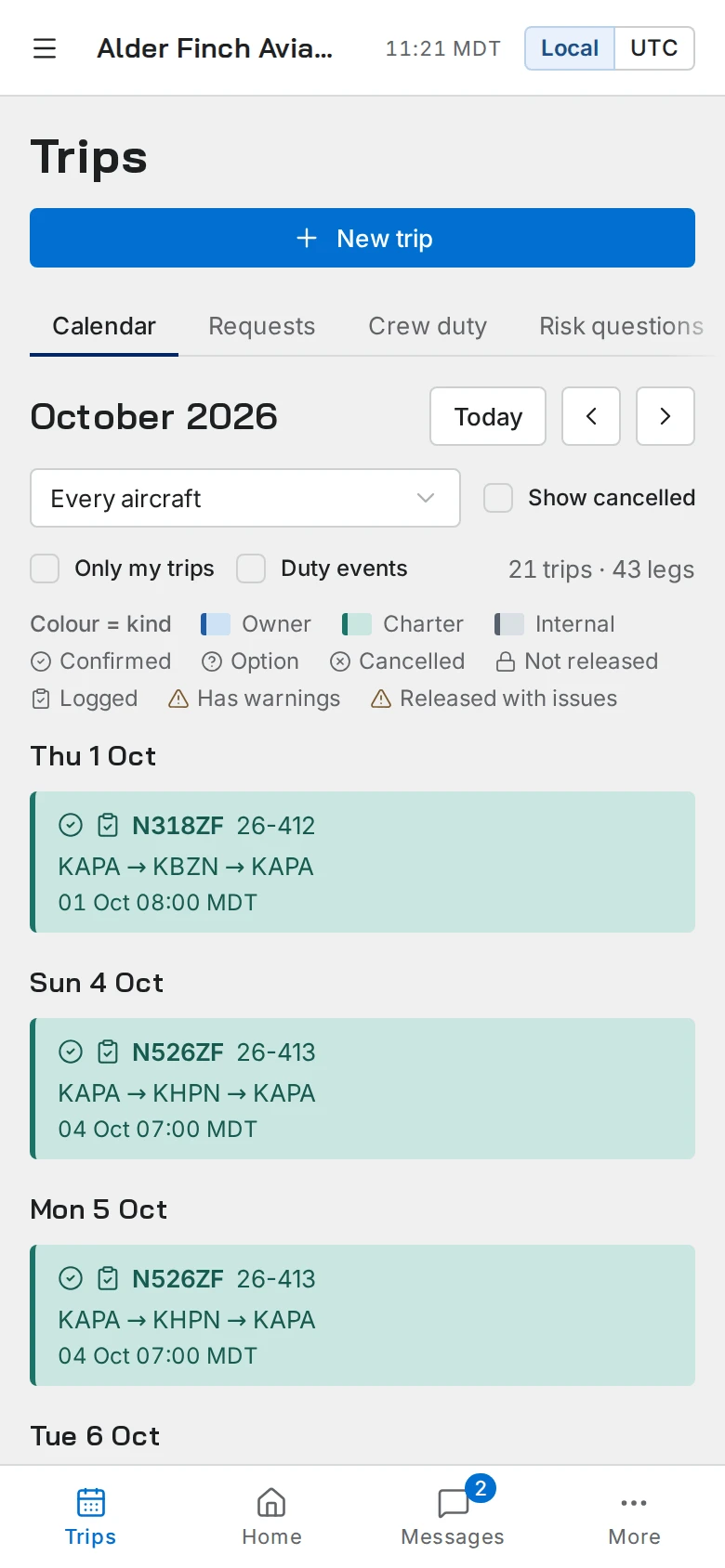
See the month on a calendar, or change to an agenda that lists the trips in date order.
Enter departure and arrival times in each airport’s own local time. Each time is stored once and shown correctly everywhere. A leg that crosses time zones shows the correct time at both ends.
Each time you save a trip, it’s checked against the aircraft, the crew and the duty rules. Each problem is named in plain words. If an admin decides to continue, the override is recorded with the admin’s note.
Every change to the trip goes into its history: who changed what, and when.
Trip requests arrive in one list, where the office can make trips from them.
Each trip has its own thread, so the questions and answers about a trip stay with the trip.
A crew trip sheet, passenger itineraries and a recap of what was flown, all made from the trip. Download each as a PDF or share it by link.
ExploreEach aircraft has one profile with its counters, maintenance items and defects. Its status is calculated from them.
ExploreKeep certificates and training current. Duty and rest are checked each time the schedule changes.
Explore
Try it free for 30 days on your own aircraft and crew, with nothing charged. Or we show it to you on a call, at a time you choose.