

Flying
Risk assessment
Every trip answers your risk questions before it can be released. Each Yes adds points, and enough points needs an Admin's approval or stops the release.
How the score works
Two numbers set the limits, under Settings, Trips & duty: Risk: approval needed from (15 points unless you change it) and Risk: refused from (25). The first must be lower than the second.
| Mark | Means |
|---|---|
| No Approval Needed | Under the approval score. Nothing more to do. |
| Needs Approval | At or over the approval score. An Admin must approve before release. |
| Approved | An Admin approved it, with a reason. |
| Too High to Release | At or over the refusal score. Change the trip and answer again. |
Answer the risk questions
The office and the crew seated on the trip can answer. Often the PIC does it.
- Open the trip and click the Release tab. The Risk card is under Readiness.
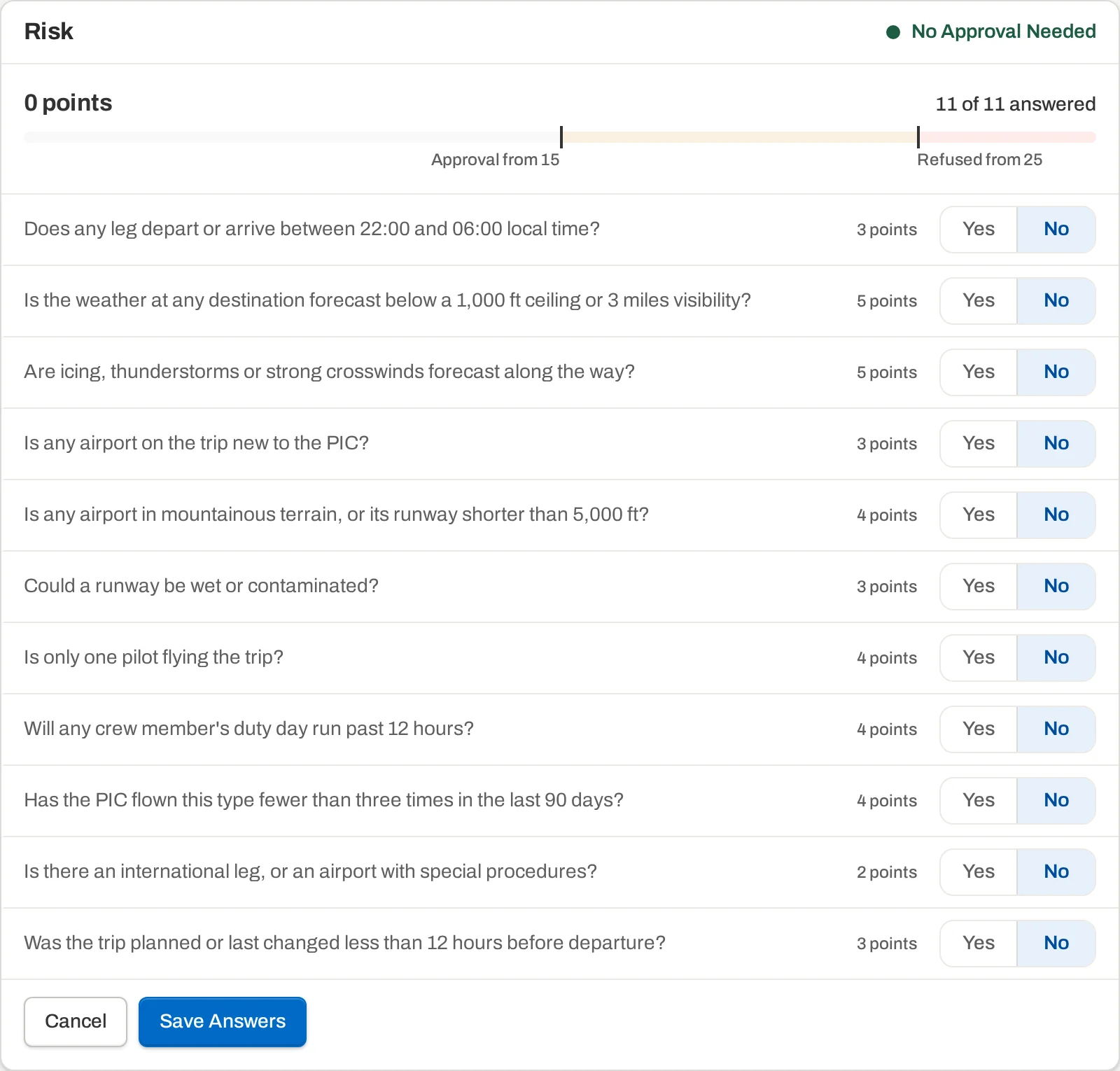
- Pick Yes or No for each question. The bar shows the running total against the two limits, and how many are answered.
- Click Save Answers. Every question needs an answer.
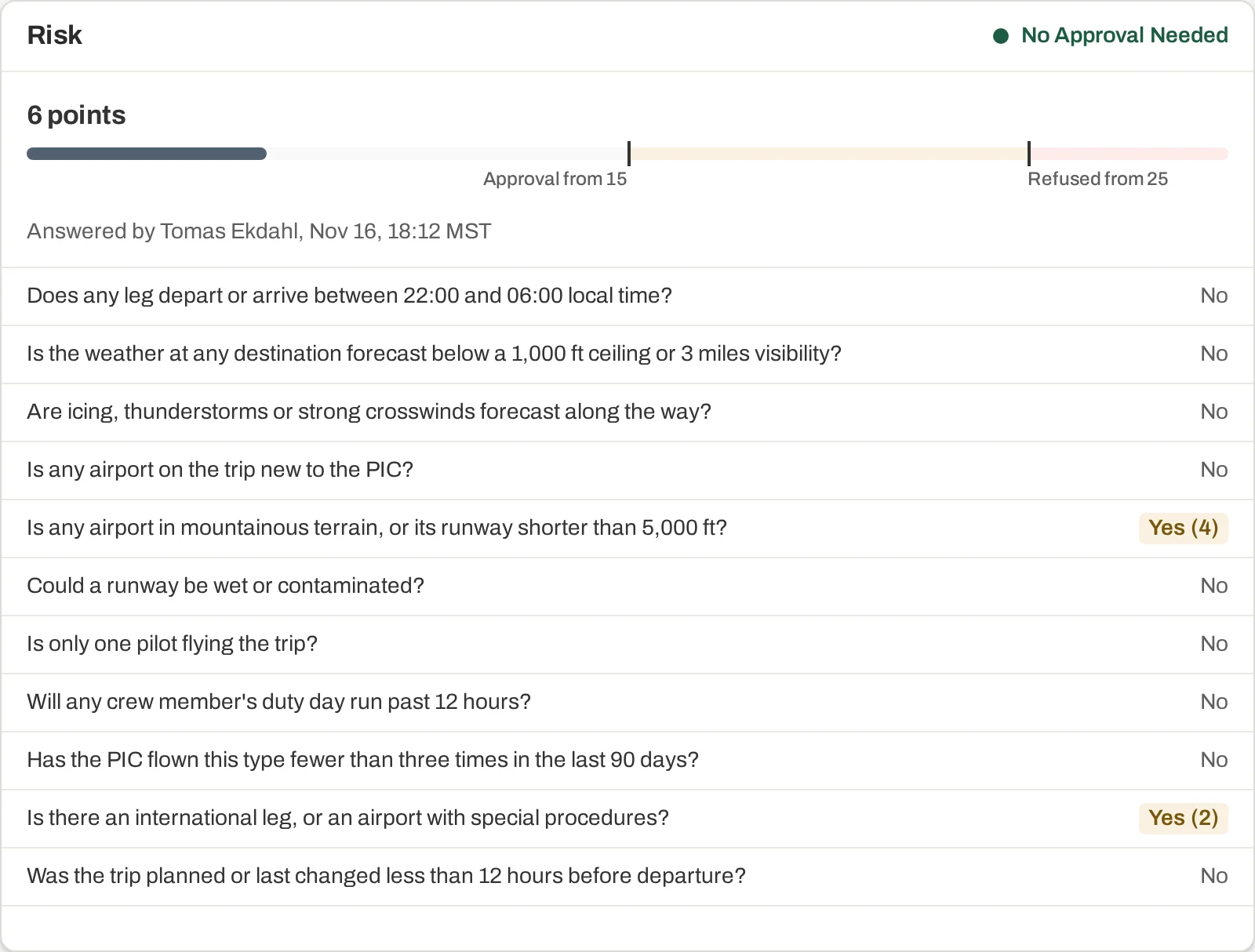
The saved card shows who answered and when, and each question with its answer. A Yes stands out with its points. To change them, click Change Answers. On a released trip, new answers count as a change: an Admin or Scheduler is asked whether the trip stays released, and anyone else's new answers take the release back.
Once the last leg has left, the card only reads. A trip that flew without answers says The risk questions weren't answered before the trip flew.
Approve a risky trip
- An Admin opens the trip's Release tab. The Risk card reads Needs Approval.
- Click Approve. The Approve this risk dialog lists the questions answered Yes.
- Write Why is this risk acceptable? and click Approve.
The reason is kept with the answers and in the trip's History. If someone changes the answers afterwards, the approval no longer stands and the new score is judged again.
Your risk questions
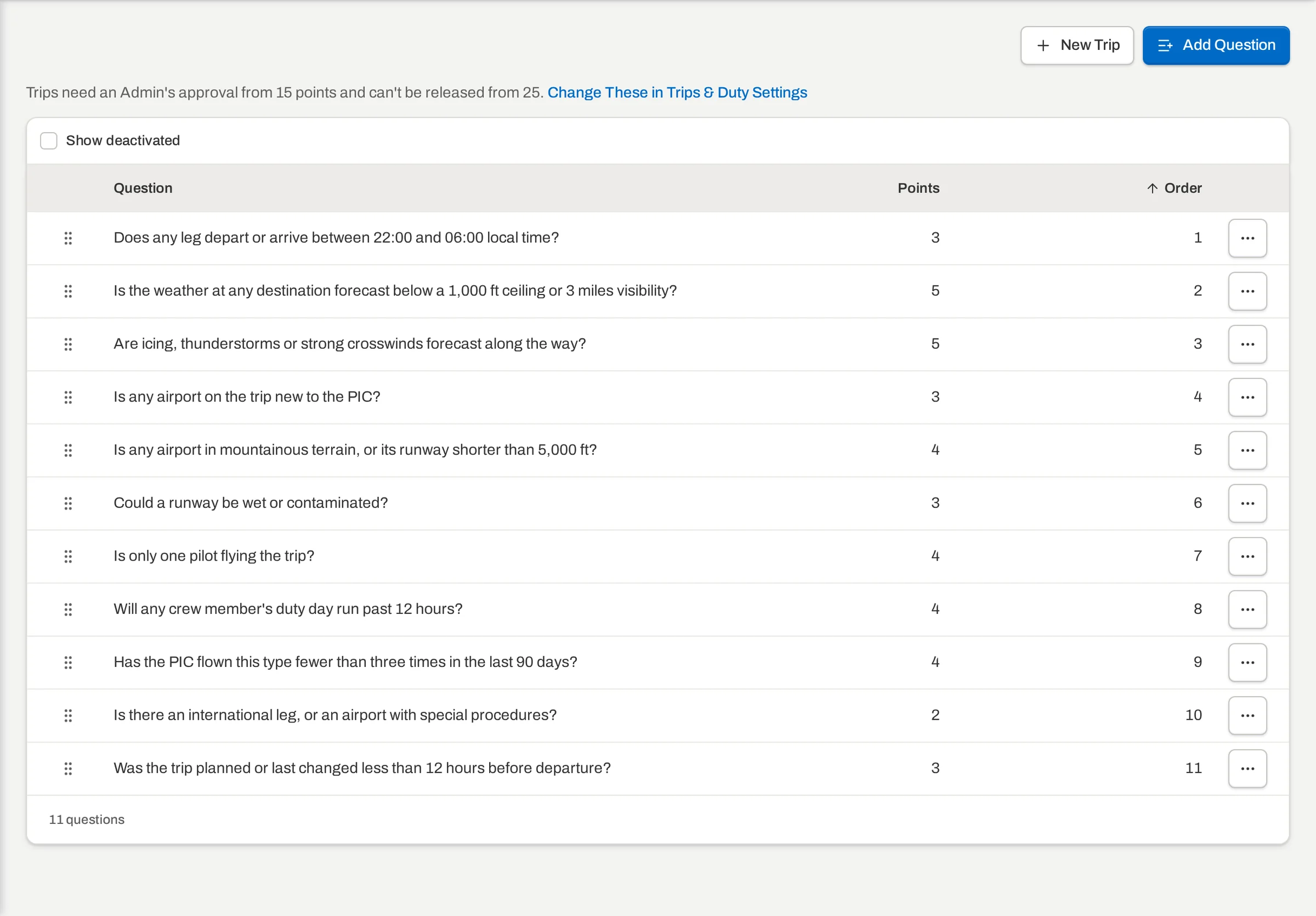
Admins keep the list under Trips, Tools, Risk questions. A new operator starts with eleven questions about night flying, weather, terrain, runways, crew and late changes, each with points. Change them to fit how you fly.
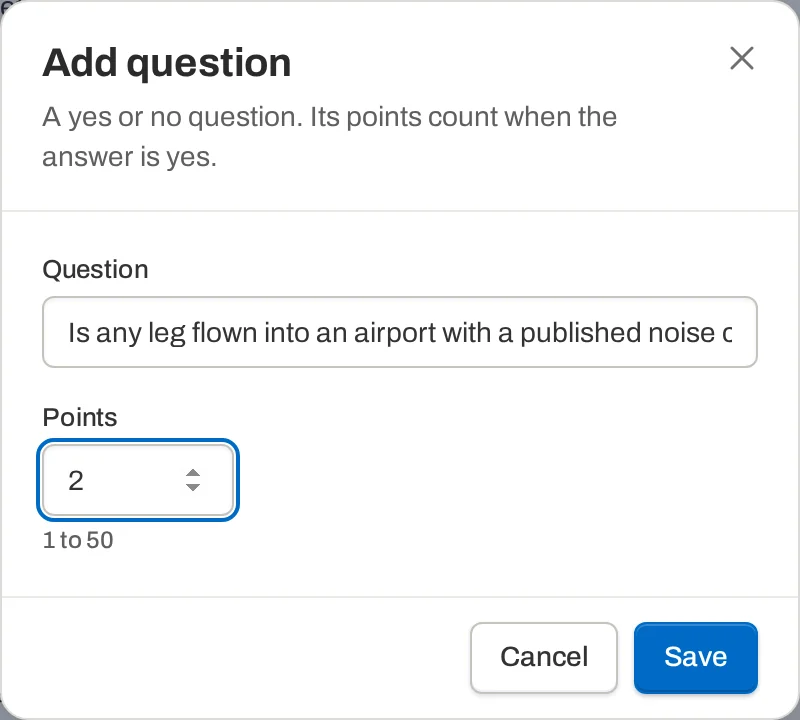
- Add a question: click Add Question, type the Question, give it Points from 1 to 50, and save.
- Change or retire one: use its row's menu for Edit, Deactivate or Activate. Show deactivated lists the retired ones.
- Reorder: sort by Order, then drag a question by the grip at its left. On a keyboard, press Space on the grip, move with the arrow keys, and press Space again.
Trip risk scores over time are in Reports, under Safety, for whoever schedules trips.
Company settingsTrips & duty, where the two limits are set.
Can’t find what you need? Email [email protected] and a person will answer.