

Flying
Trip expenses
Receipts tied to a trip show on its **Expenses** tab, under the trip's cost.
Anyone who records expenses sees the tab when your company uses Accounting. Crew see their own receipts on it; the office and bookkeeping see everyone's.
Add an expense to a trip
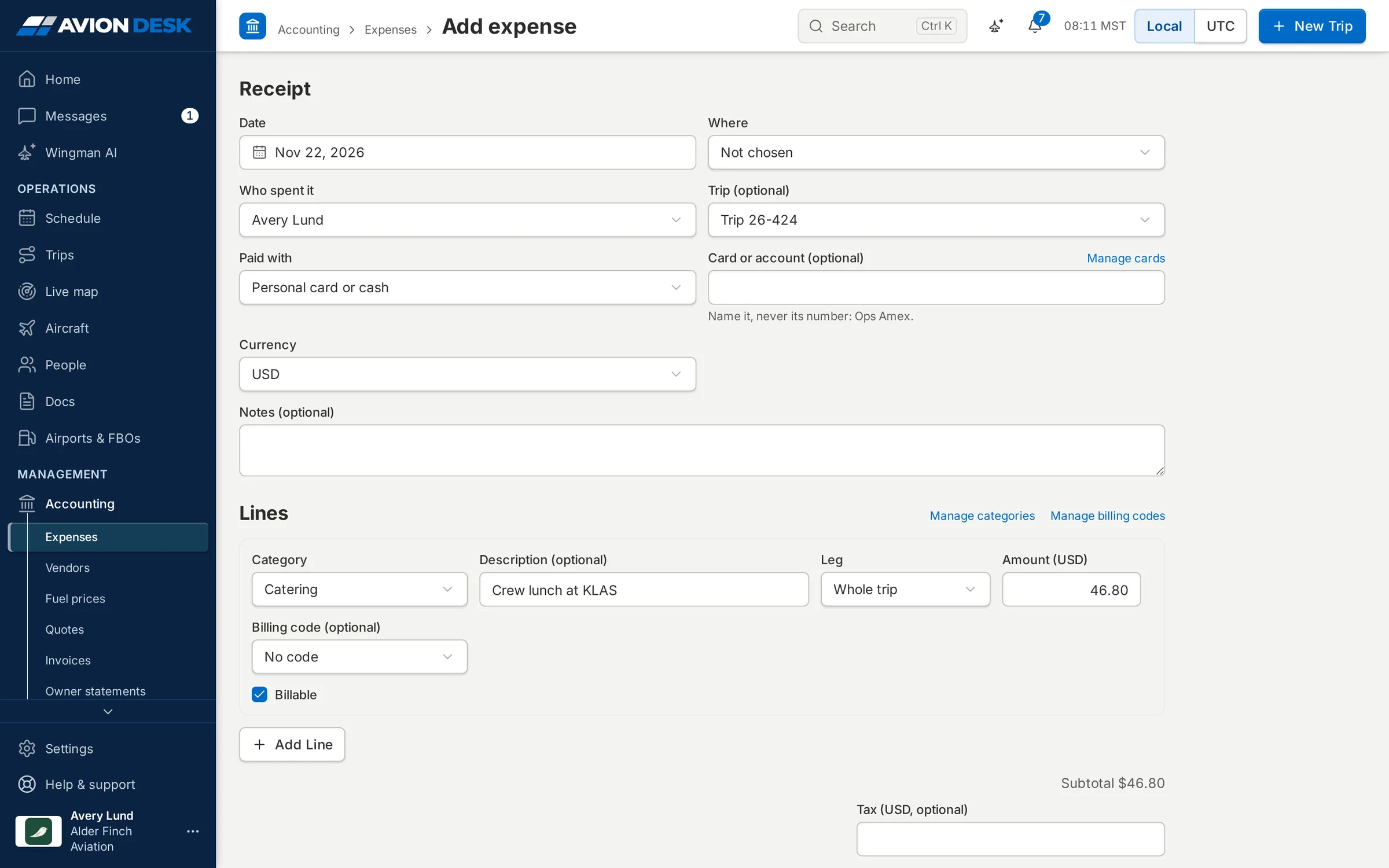
- Open the trip, click the Expenses tab, then Add Expense. The trip is filled in.
- Set the Date and Where (the vendor, or Not in the list). The office also picks Who spent it.
- Pick Paid with (below).
- For each line, pick a Category and enter the Amount. Add a Description, or a Leg if it belongs to one.
- Add the receipt under Files: Take Photo on a phone, or Click to upload (or drag the file in) on a computer.
- Click the save button. Its label follows Paid with: Submit for Payback for your own money, Submit for Review for the aircraft owner's card when you aren't in the office, and Save otherwise.
| Paid with | What happens |
|---|---|
| Company card, Company account, Cash advance | The company paid. Saved as Recorded. |
| Personal card or cash | The person paid. It goes for review as Waiting, then Approved and Paid back. |
| Owner card or account | The aircraft owner paid. Never paid back, and never in the trip's cost (below). |
The office can send a receipt back as Returned for a fix, or mark it Rejected. A trip isn't Completed while any of its receipts is Waiting or Returned.
ExpensesEvery field on the form, and the Expenses list.
ReimbursablesReviewing and paying back.
The owner's card
Some owners leave a card in the airplane for the crew. Pick Owner card or account for those receipts. At month end, the office sends the owner a summary of them from Reports, under Owners.
- The office can always pick it. Anyone else needs the switch May pay expenses with the aircraft owner's card or account on their People record, turned on by the office.
- It only works on a trip or aircraft with an owner on record that day.
- Someone outside the office who picks it gets Submit for Review: it waits for the office, then reads Reviewed.
- It's never paid back, never billed and never sent to QuickBooks. The trip's cost leaves it out and names it apart. It shows on the recap, the owner's trip sheet and the owner statement.
The trip's cost
Above the receipts, the Trip cost card adds things up:
- Expenses: the trip's receipts.
- Aircraft: the aircraft's hourly cost times the trip's hours. Hours are estimated from the schedule until the legs are logged.
- Total, and what that comes to an hour.
- Cost by leg: the same, leg by leg.
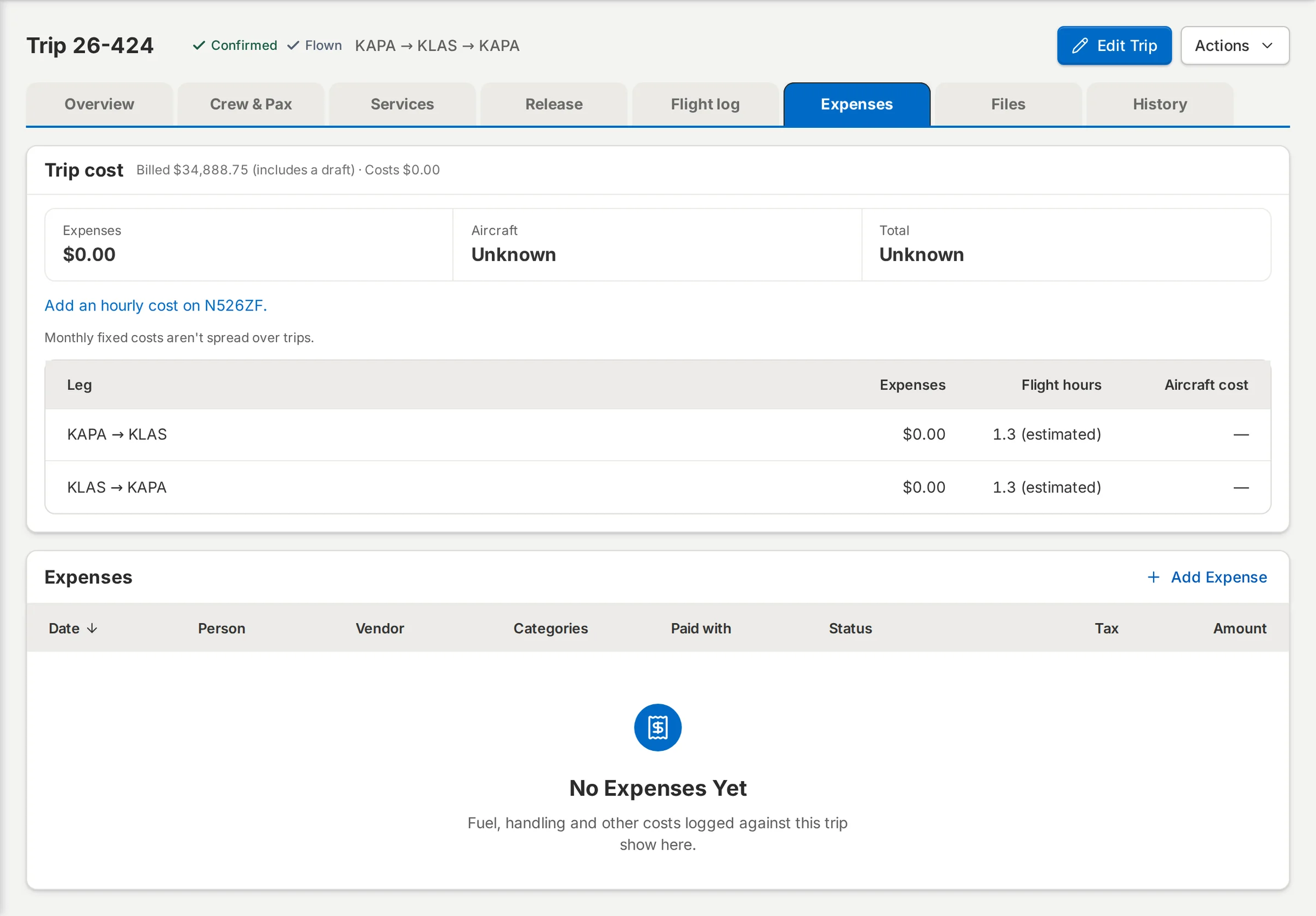
Monthly fixed costs aren't spread over trips. If you see billing, the card's heading also shows what was billed beside what it cost.
Aircraft owners and costsSetting an aircraft's hourly cost.
Email-inEmail a receipt instead of typing it.
Can’t find what you need? Email [email protected] and a person will answer.