
Run your flight department from one place.
Trips, crew duty, maintenance, the release and the invoice, all on one record that’s checked again every time someone saves a change.
- Part 91 Flight departments
- Part 135 Charter operators
- Part 91K Fractional programs
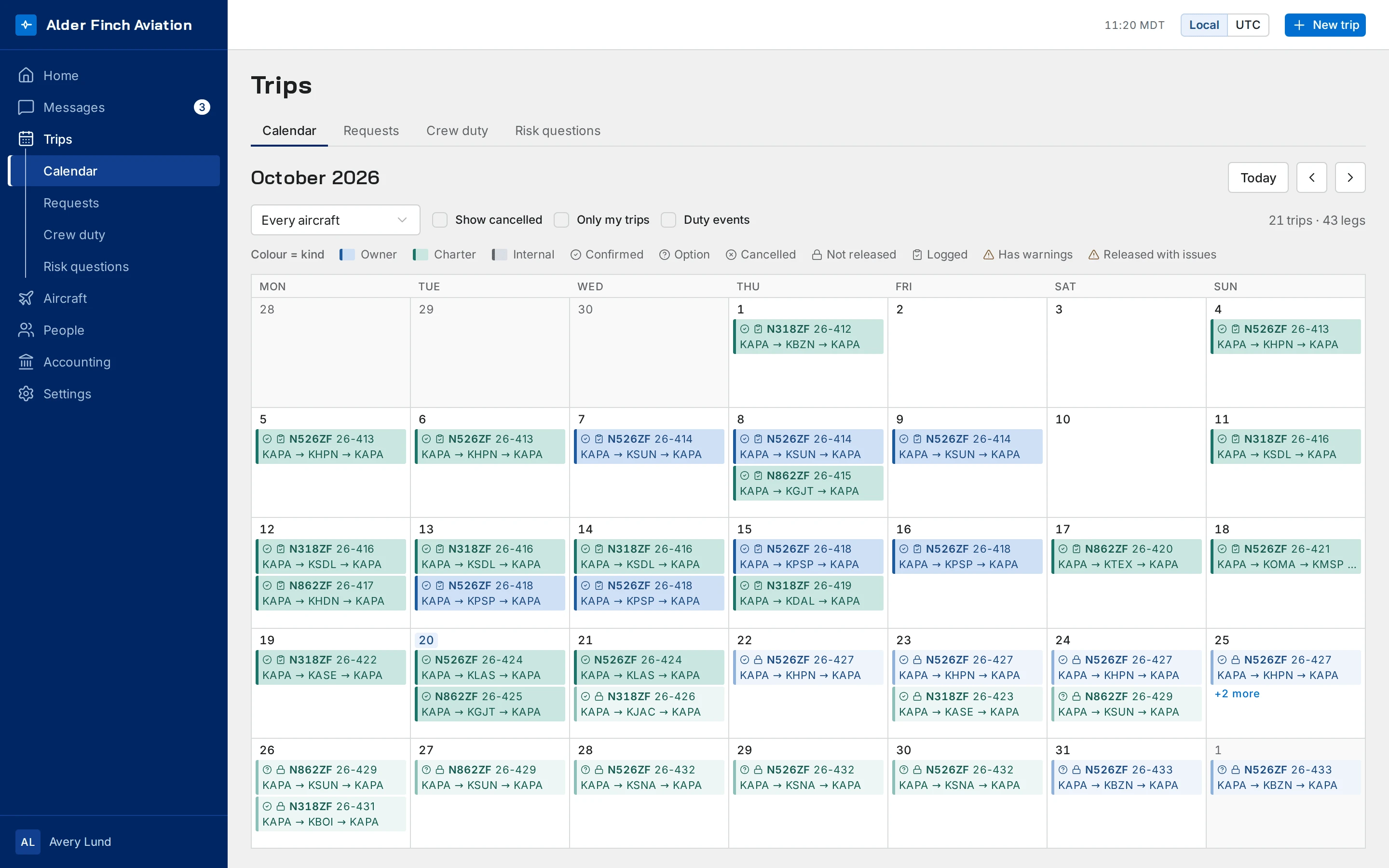
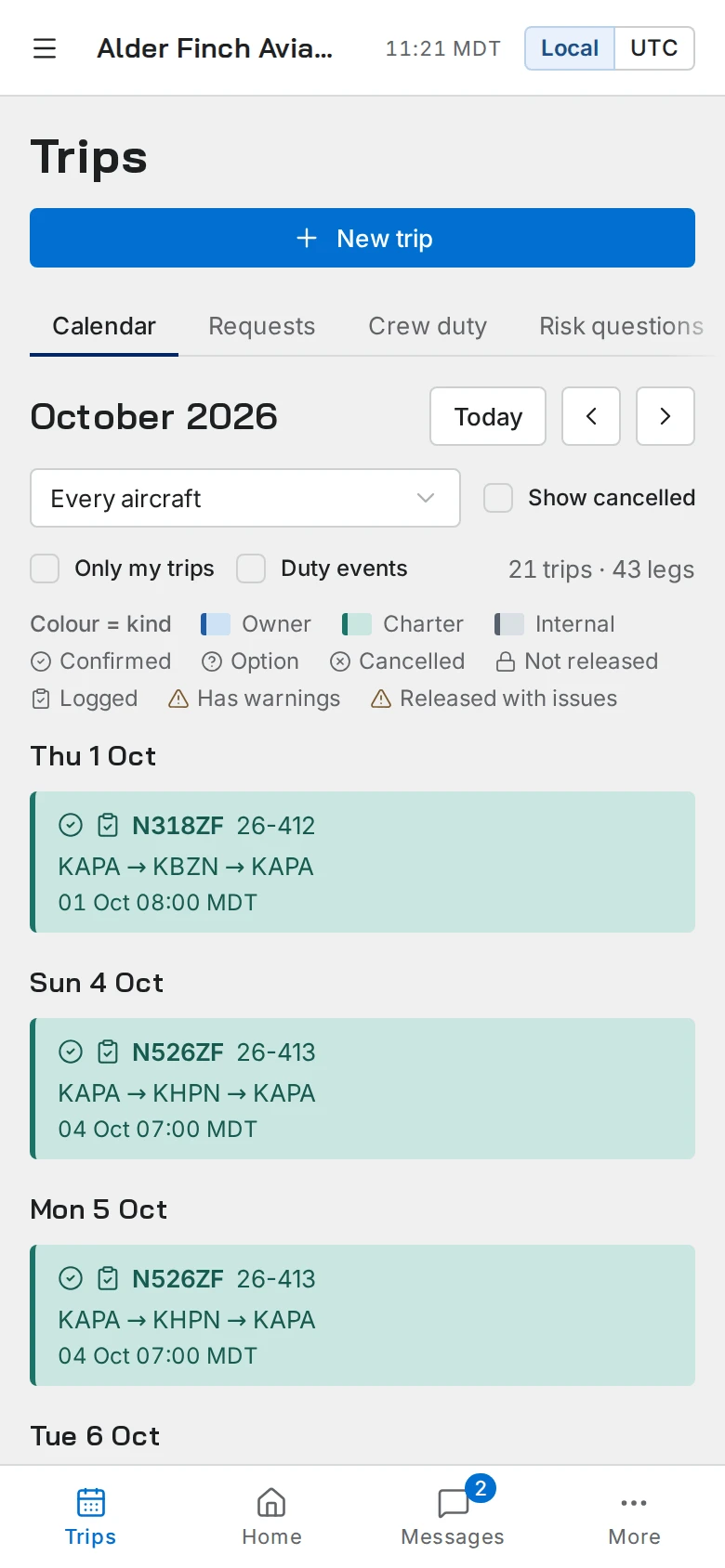
One trip, from the first leg to the invoice.
Here’s one charter trip as it moves through the app. Each screen works from the one before it, so nothing gets typed twice.
-
Build your trips with ease.
Find each airport by its code or its name, and enter every time in that airport’s local time. It’s stored once and shows correctly everywhere.
Trips and scheduling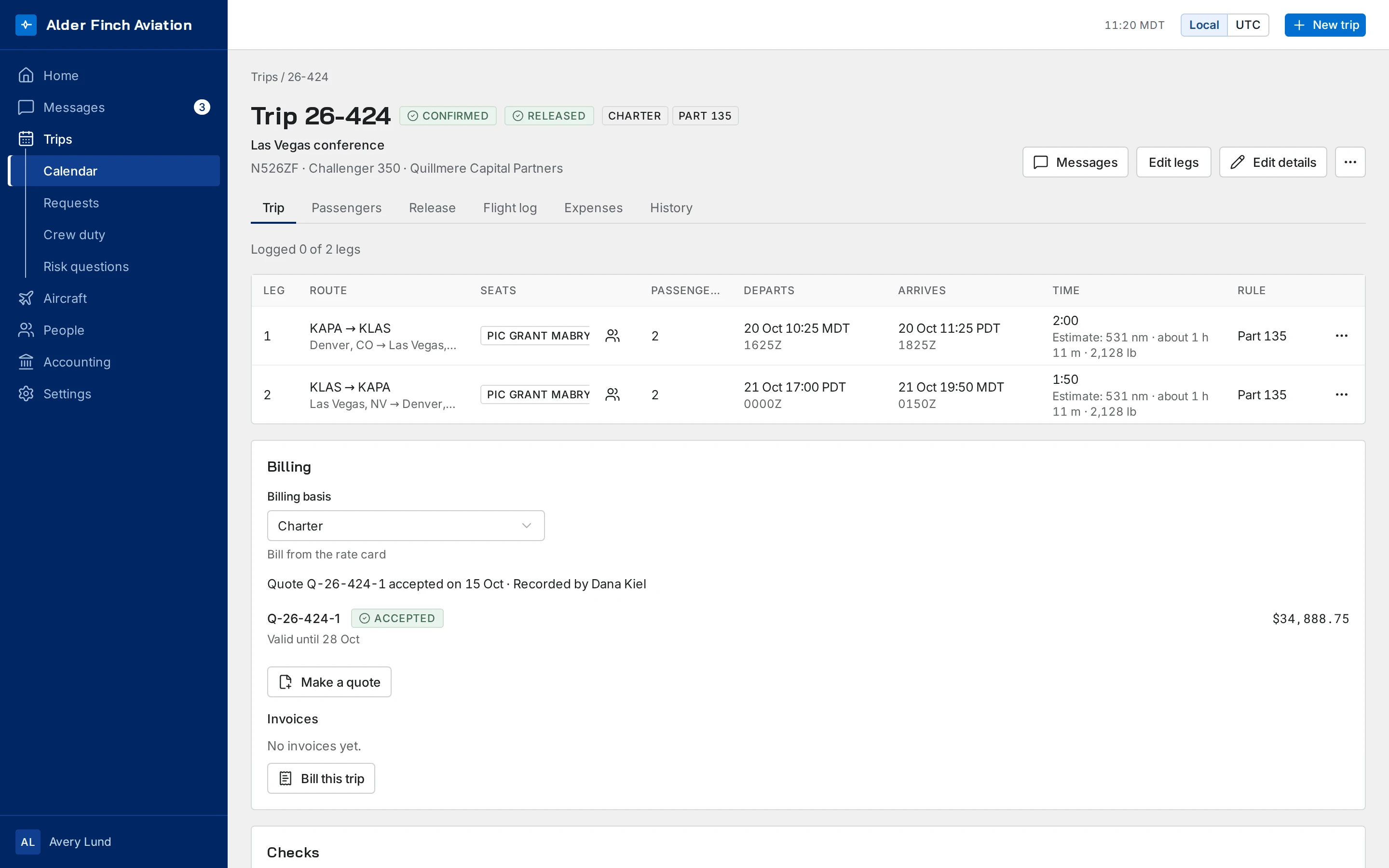
-
Know which pilots are legal before you call them.
Duty and rest are checked again every time the schedule moves, against your own Part 91 policy or, on Charter, Part 135 and Part 91K. Seat a pilot who isn’t qualified on the aircraft and the trip flags it.
Crew, duty and rest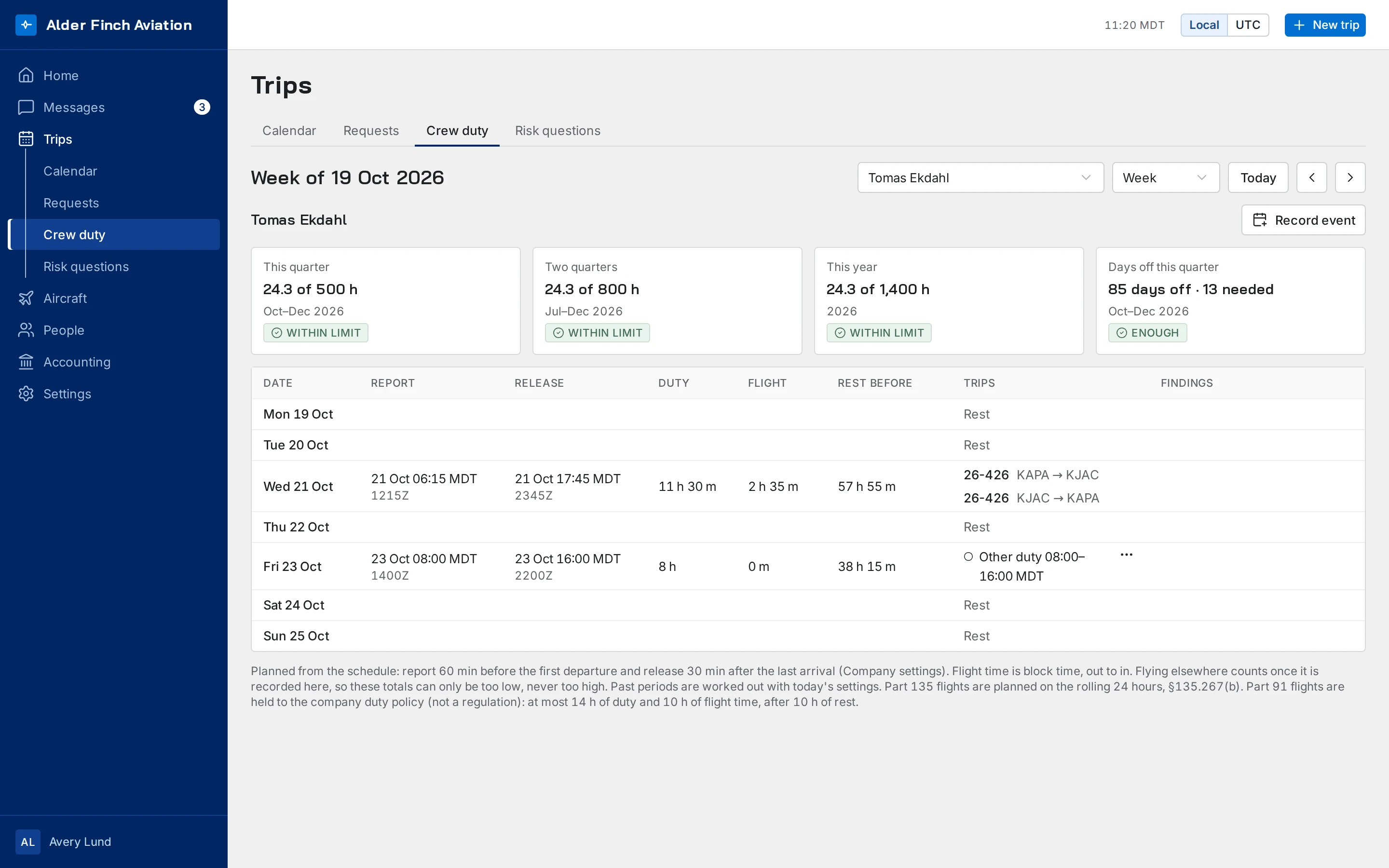
-
No release until the checks pass.
A trip isn’t released until its checks, the aircraft’s state and your risk assessment all pass. Above your threshold, it needs a named approver. Change the trip after release and it goes back to not released.
Release, risk and the flight log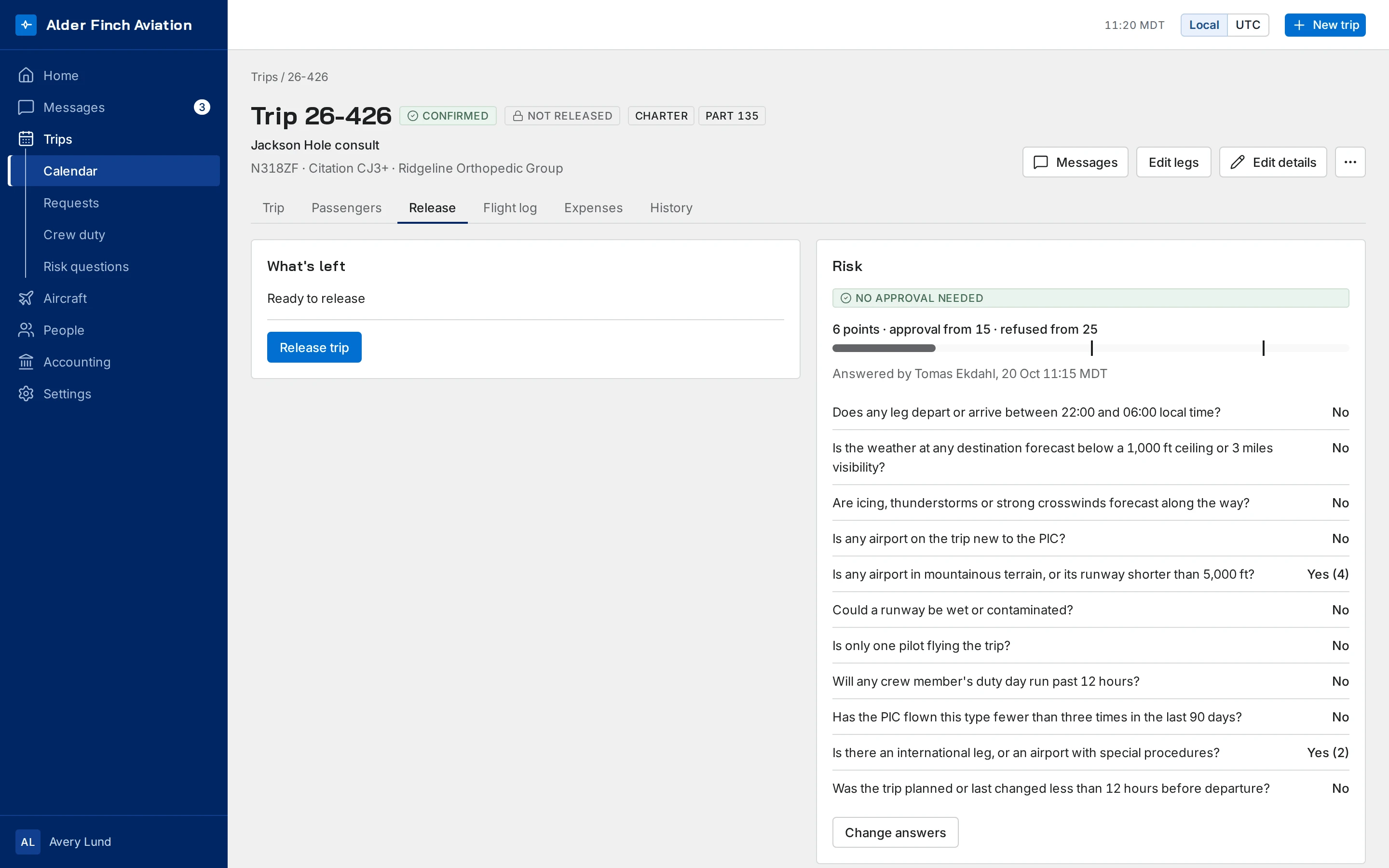
-
Bill the trip you actually flew.
Log each leg as it’s flown. Corrections and voids are kept, never written over. Approved expenses roll up into what the trip cost, and the invoice carries the trip’s number.
Accounting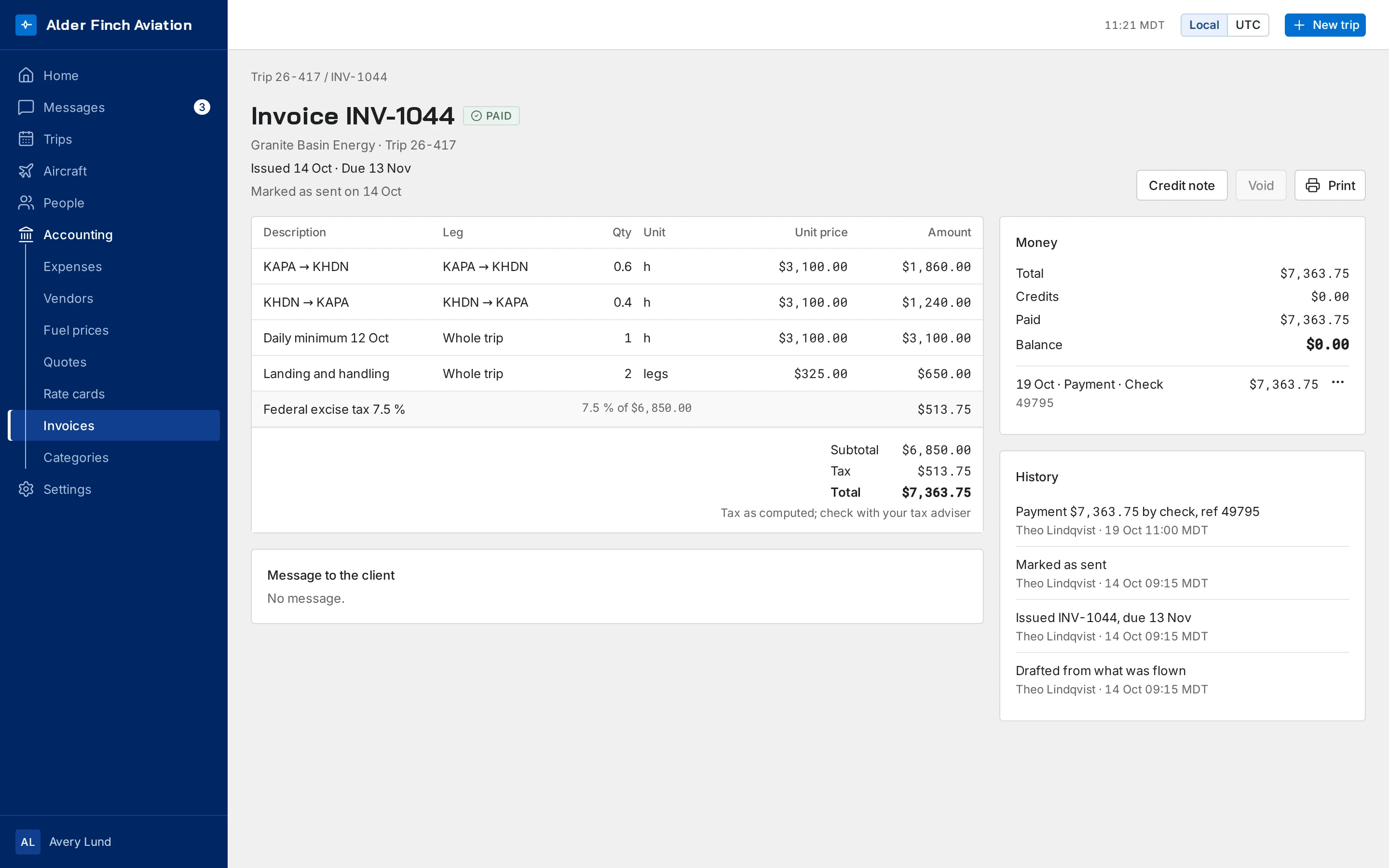

The checks name each problem. Your people make the call.
An admin who continues past a finding records a note, and a high-risk release needs a named approver. The record shows who decided, and when.
-
Aircraft and maintenance
Each aircraft has one profile with its counters, maintenance items and defects. Its status is calculated from them.
-
Passengers and travel documents
Each passenger record holds the passenger’s travel documents. Identity data is encrypted, and the app logs each time someone shows it.
-
Trip paperwork
A crew trip sheet, passenger itineraries and a recap of what was flown, all made from the trip. Download each as a PDF or share it by link.
-
Safety reportsCharter
Your team reports hazards and occurrences. Safety managers score each one and see its fix through to closed.
-
Client portal
Each client gets a portal of its own. Clients see their trips and ask for new ones there; on Charter they also accept quotes and read invoices.
-
Messages
Message the team in the same app you use for trips. Every trip has its own thread.
-
Documents
Manuals, memos and forms in folders, each seen by the roles you choose. Mark one Must read and see who has read it.
-
Admin and your data
Invite your team, see every change on one page and export your records whenever you want.
Two kinds of operation, one plan for each.

Corporate flight departments
Part 91, on the Department plan
- Maintenance due by date or counter
- Crew currency, and duty against your own policy
- Approved expenses, rolled up per trip

Charter operators
Part 135 and Part 91K, on the Charter plan
- Everything in Department
- Part 135 and Part 91K duty and rest
- Rate cards and quotes
- A portal for your clients
Records you can account for.
When the owner, the insurer or an inspector asks who did what, it’s already on the record.
- History
- Trips and aircraft record who changed what, and when.
- Approvals
- An override carries a note. A high-risk release needs a named approver.
- Files in place
- Documents, certificates and flight logs stay with their aircraft, person or trip.
Getting started
Up and running without an IT project.
It runs in the cloud and opens in the browser you already use, and we can load your records for you. Your data stays apart from every other operator’s.
-
Runs in the cloud
We host it and keep it up to date, so there’s nothing to install or upgrade. Open it in a browser at your desk or on your phone, and each page fits the screen it’s on.
-
Your data kept apart
The database itself keeps each operator’s data apart, with row-level security. Each person’s role sets what they can see and change.
-
Sensitive fields encrypted
Passports, birth dates and certificate numbers are encrypted, and it’s logged each time someone views one.
-
We load your records
Send us your files and we load your fleet, people and records. Launch Assist is a one-time fee per company.
See pricing
Priced by the aircraft you fly.
With Launch Assist, we load your records for you, for $499 one time, per company.
-
Department
$75
per active aircraft per month
-
Charter
$150
per active aircraft per month
-
Free trial
30 days
free on the plan you choose, for every new operator
Common questions.
For any other question, ask us. We reply by email.
Who’s Avion Desk for?
Corporate flight departments that fly under Part 91 for their own company, and charter operators under Part 135 or Part 91K that quote and invoice their clients.
What does it cost?
Department is $75 and Charter is $150, each per active aircraft per month, with a minimum of one aircraft.
Is there a free trial?
Yes. Every new operator starts with a 30-day trial on the plan it chooses, and you aren’t charged anything during it.
Can you load our existing records?
Yes. You can import your fleet, maintenance items, counters, people, certificates and training from CSV files. With Launch Assist, we’ll load them from your files for you, for a one-time fee per company.
Does it make the dispatch decision for us?
No. The checks name each problem they find, and your people decide. An admin who continues past a finding records a note, and a high-risk release needs a named approver.