

Accounting
Cards and categories
Cards and categories live under Settings, in the Accounting group. Admin and Bookkeeping manage both.
Add a company card
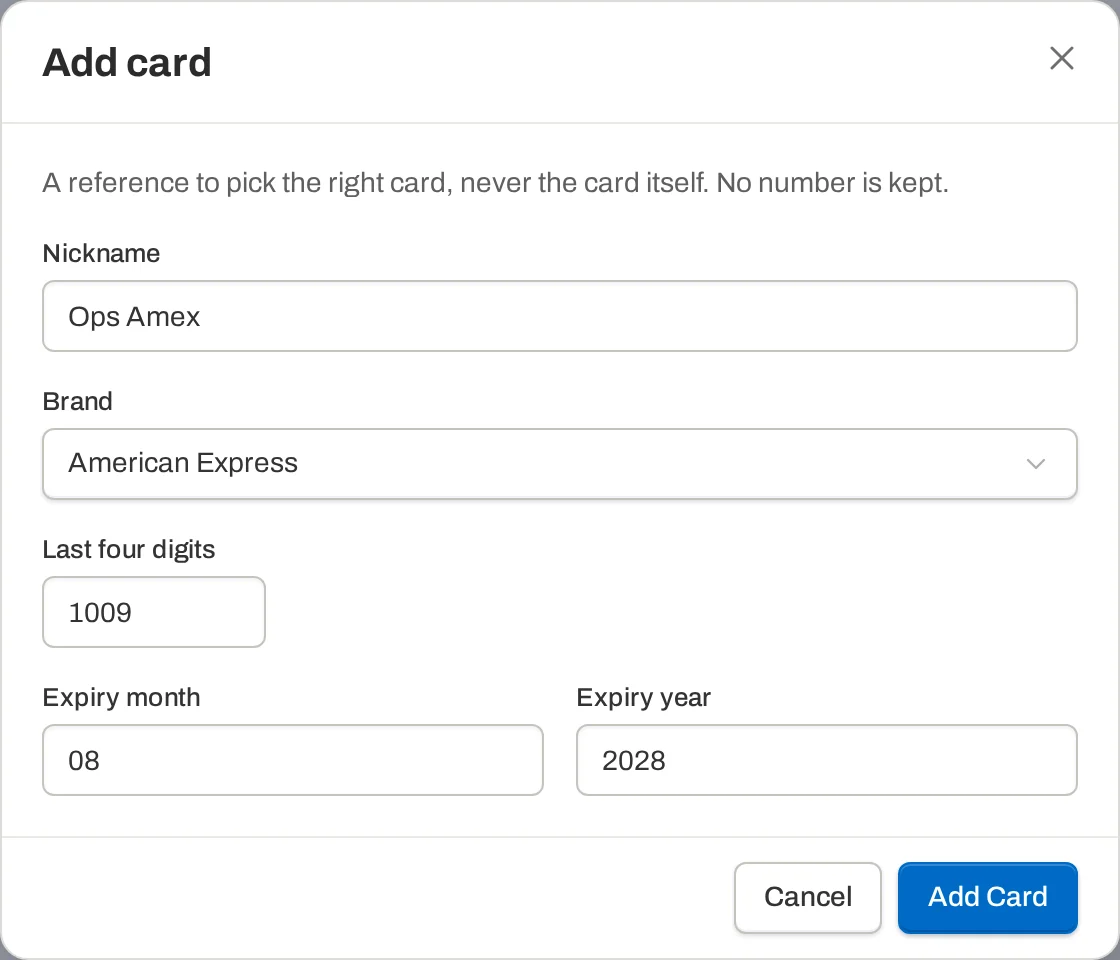
A card here is a name to pick, so receipts say which card paid. The app never keeps a card number.
- Open Settings, then Cards under Accounting.
- Click Add Card.
- Give it a Nickname people will recognize, such as Ops Amex, choose the Brand, and enter the Last four digits and the Expiry month and Expiry year.
- Click Add Card.
The Company cards list shows each card's Brand, Ends in and Expires, and marks it Expired or Deactivated. Deactivate a card you no longer use; receipts that name it keep the name. The expense form's Card or account (optional) field suggests the active, unexpired company cards, plus the cards on the Travel tab of your own record in People.
Expense categories
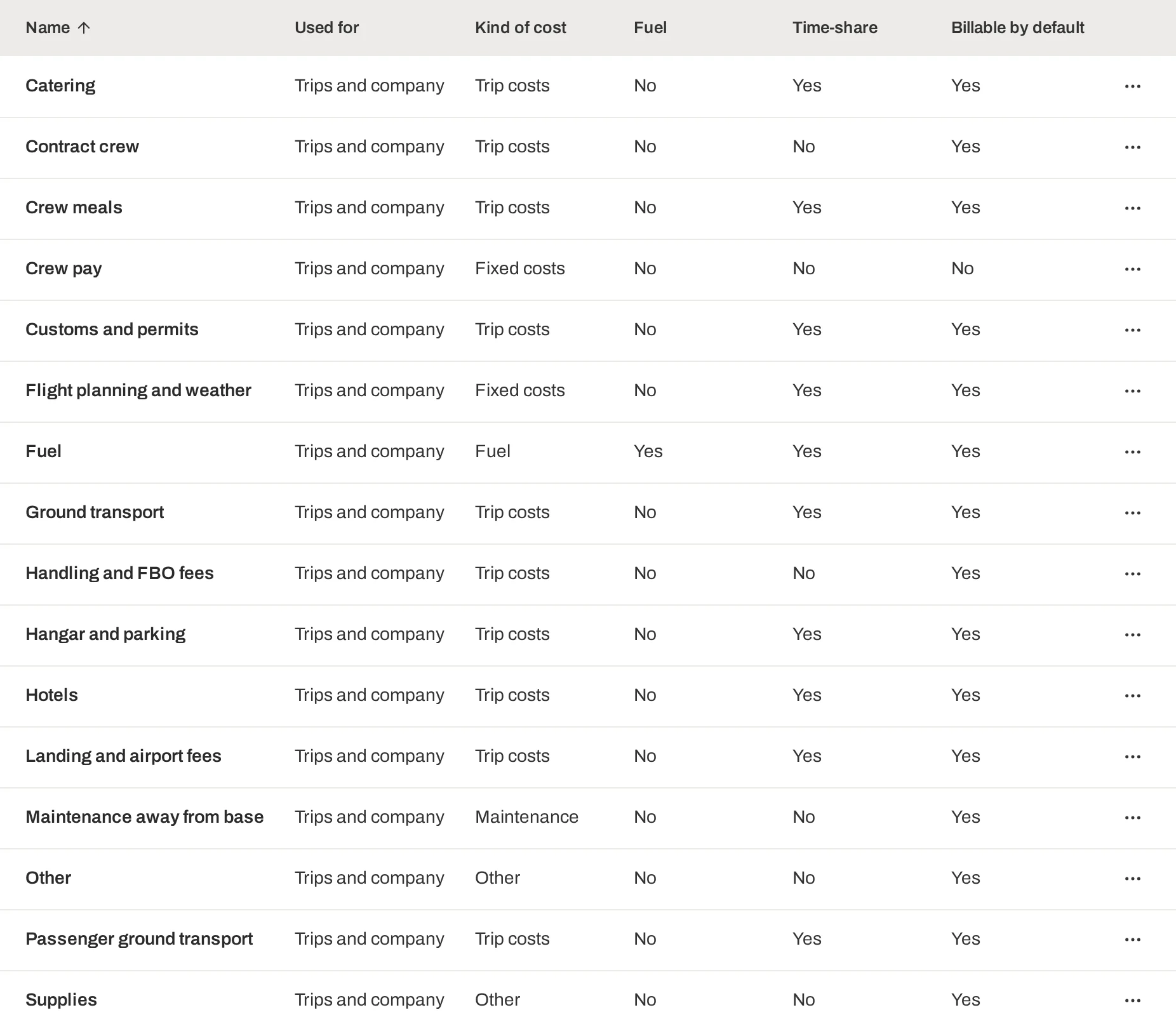
Every line of a receipt is filed under a category. A new operator starts with a working set: Fuel, Catering, Crew meals, Hotels, Hangar and parking, Landing and airport fees, and more. Open Settings, then Categories, to see them.
| Column | What it means |
|---|---|
| Used for | Trips, General (any receipt not on a trip, such as office spending), or Trips and company. It decides which receipts can use the category. |
| Kind of cost | Fuel, Trip costs, Maintenance, Fixed costs or Other. Reports add spending up under these headings. |
| Fuel | Its lines carry a quantity and a unit, so reports can count gallons and the price paid. |
| Time-share | A time-share invoice may bill it. Only categories the time-share rules allow should be ticked. |
| Billable by default | A trip line in this category starts as billable to the client. Admin, Scheduler and Bookkeeping can still change it on the line. |
Add or change a category
- In Categories, click Add Category, or open a category's … menu to edit it.
- Enter a Name (each name once).
- Choose Used for and Kind of cost.
- Tick Fuel, Time-share and Billable by default as they apply.
- Click Add Category, or Save Category when you are editing one.
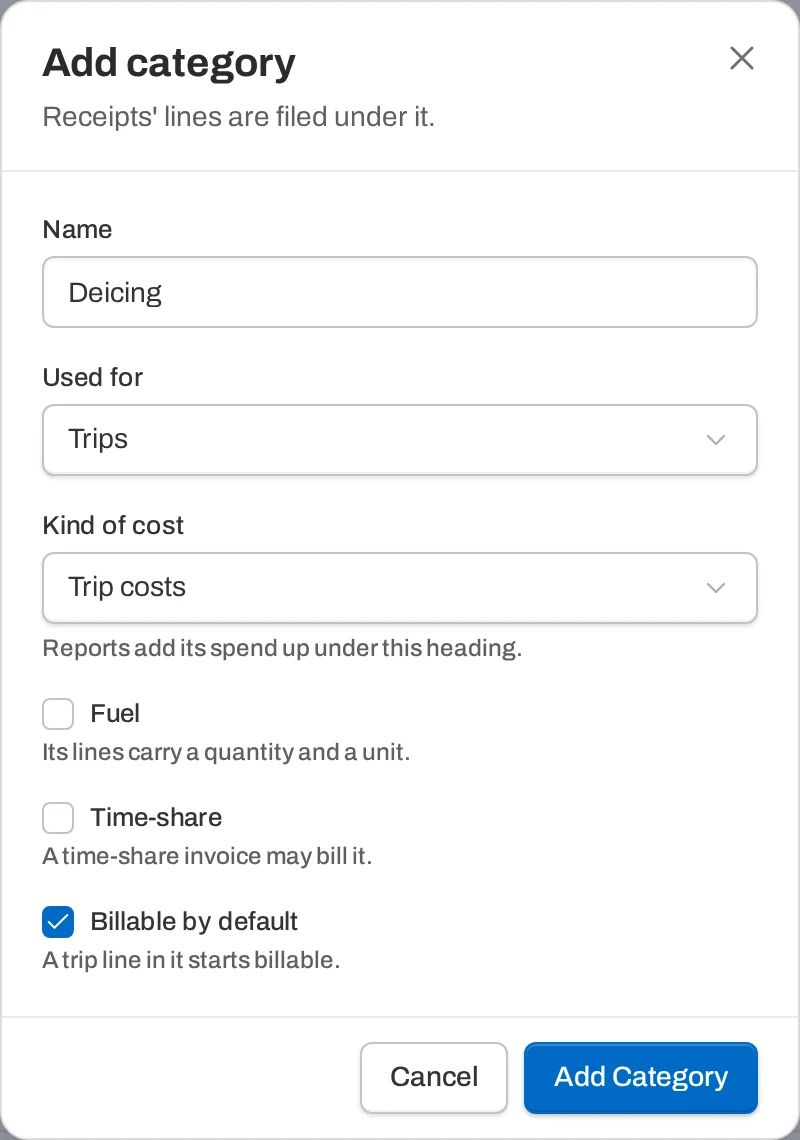
Changing Kind of cost regroups past spending in Reports too. Other changes apply to lines saved from then on.
Categories are deactivated, never deleted. Lines that already use one keep it; new lines can't choose it. Include deactivated shows them again, with Reactivate in the menu.
ExpensesRecording receipts.
ConnectionsMatching categories to QuickBooks accounts.
Can’t find what you need? Email [email protected] and a person will answer.