

Safety
Safety reports
Anyone on the team can report a hazard or something that happened. A safety manager reviews each report, scores the risk, assigns a fix and closes it. Safety is part of the Charter plan.
Who can do what
| Who | What they can do |
|---|---|
| Everyone except View only | File a report. See their own reports and any action given to them. |
| A safety manager | See every report and who filed it (unless it was anonymous), score it, assign the action, move it along, close it and download the list. |
| Whoever is given an action | See that action and mark it done. On a confidential report they see only the title and the action. |
Being an Admin does not open the reports. To make someone a safety manager, an Admin opens their record in People and ticks Safety manager on the Roles card. Any member who signs in to the app can be one, even someone who is View only.
Report a hazard or occurrence
- Click Safety in the sidebar, then Report a Hazard or Occurrence. From a trip, use the leg's Actions menu instead: the report starts with that trip filled in.
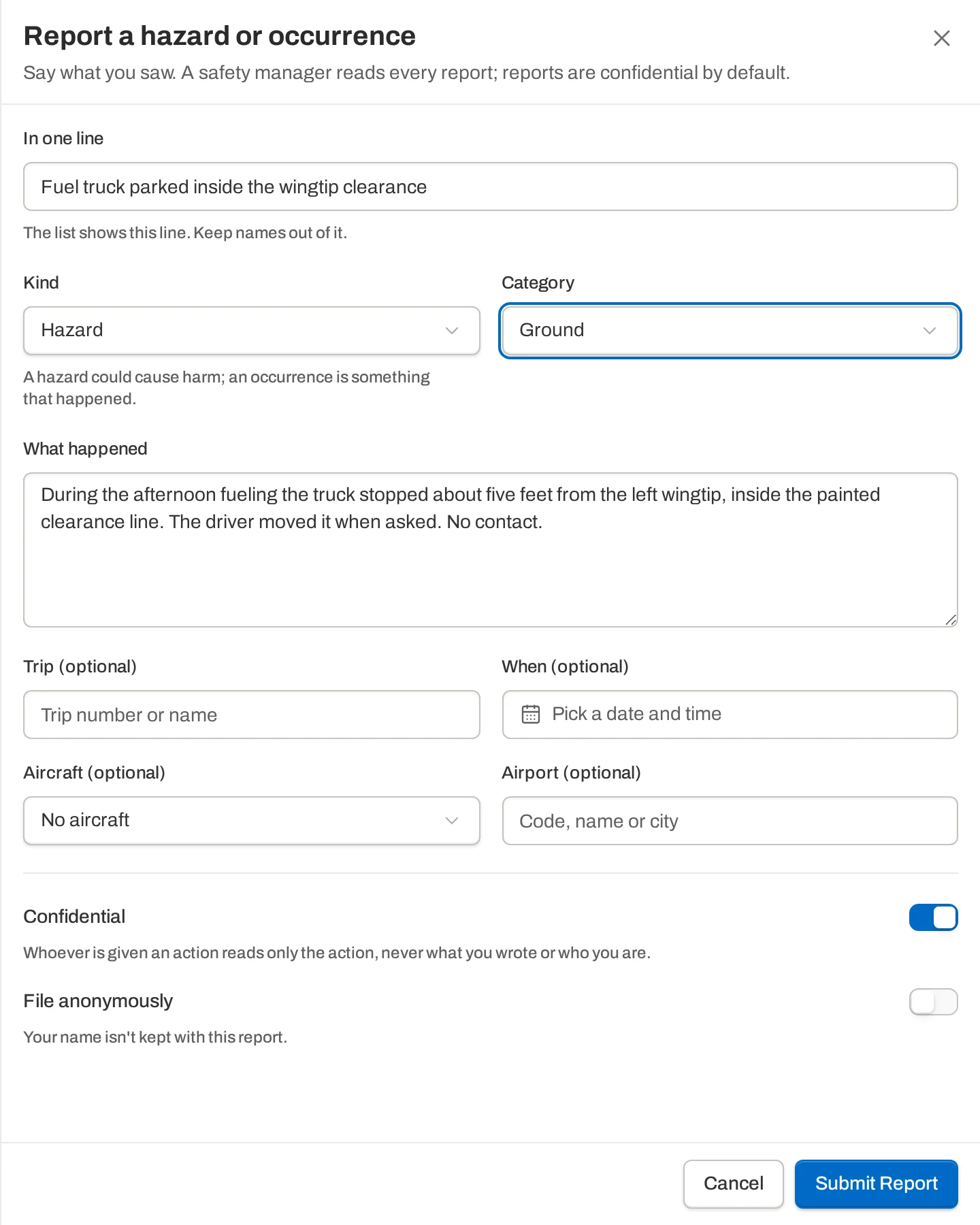
- Write the report In one line. The list shows this line, so keep names out of it.
- Pick the Kind: a Hazard could cause harm; an Occurrence is something that happened.
- Describe What happened, and pick a Category.
- Add the When, Trip, Aircraft and Airport if you know them. They are optional.
- Leave Confidential on unless there's a reason not to. Turn on File anonymously if you don't want your name kept with it.
- Click Submit Report.
Every safety manager gets an alert when a report is filed. Your report then shows under Your reports on the Safety page with its status (a safety manager finds it in the full list). After you submit, you can add photos under Files on the report.
| Setting on the form | What it means |
|---|---|
| Confidential | On by default. Whoever is given the action reads only the action, never what you wrote or who you are. |
| File anonymously | Your name isn't stored with the report, so nobody, a safety manager included, can see who filed it or ask you about it. You won't see it under Your reports either. Shown only when your company allows anonymous reports. |
A report's life
- SubmittedFiled by anyone on the team. Every safety manager is alerted.
- Under reviewA safety manager clicks Start Review, scores the risk and decides what to do.
- Action assignedThe manager writes the corrective action, picks who does it and when it's due, then clicks Assign the Action. That person finds it on the Safety page, under Actions for you (or with their own report, if they filed it), and clicks Mark the Action Done when it's finished.
- ClosedThe manager clicks Close the Report once the action is done, or straight from review when no action is needed. Reopen takes it back to review.
Every move needs a note saying why, and the notes build up on the report as its history. A report can't be closed while its action is still open, and a closed report can't be changed until it is reopened.
Work a report (safety managers)
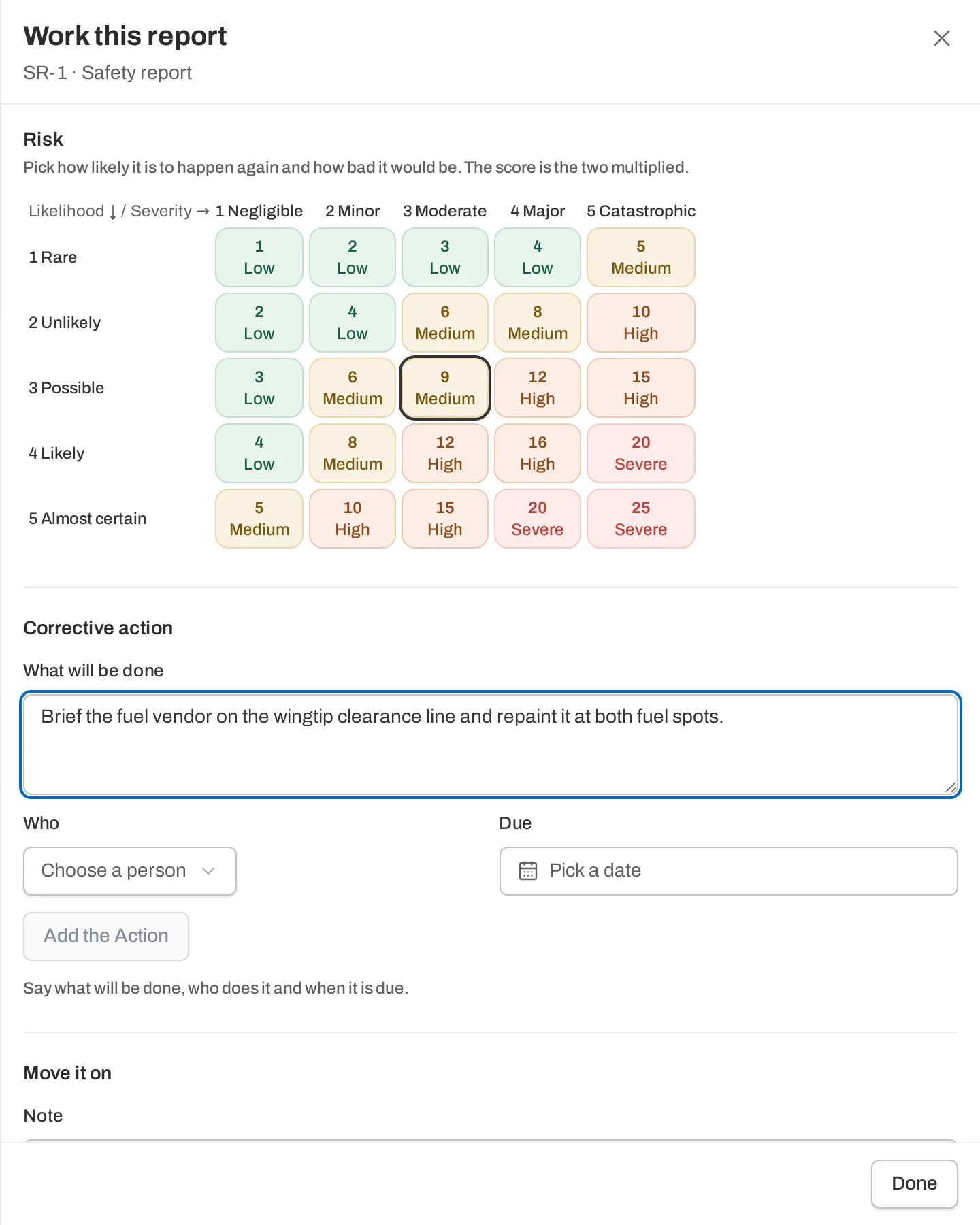
As a safety manager, the Safety page lists every report. Filter it with the status menu, open a report, then click Work This Report. Each part of the sheet saves as you go; Done closes it.
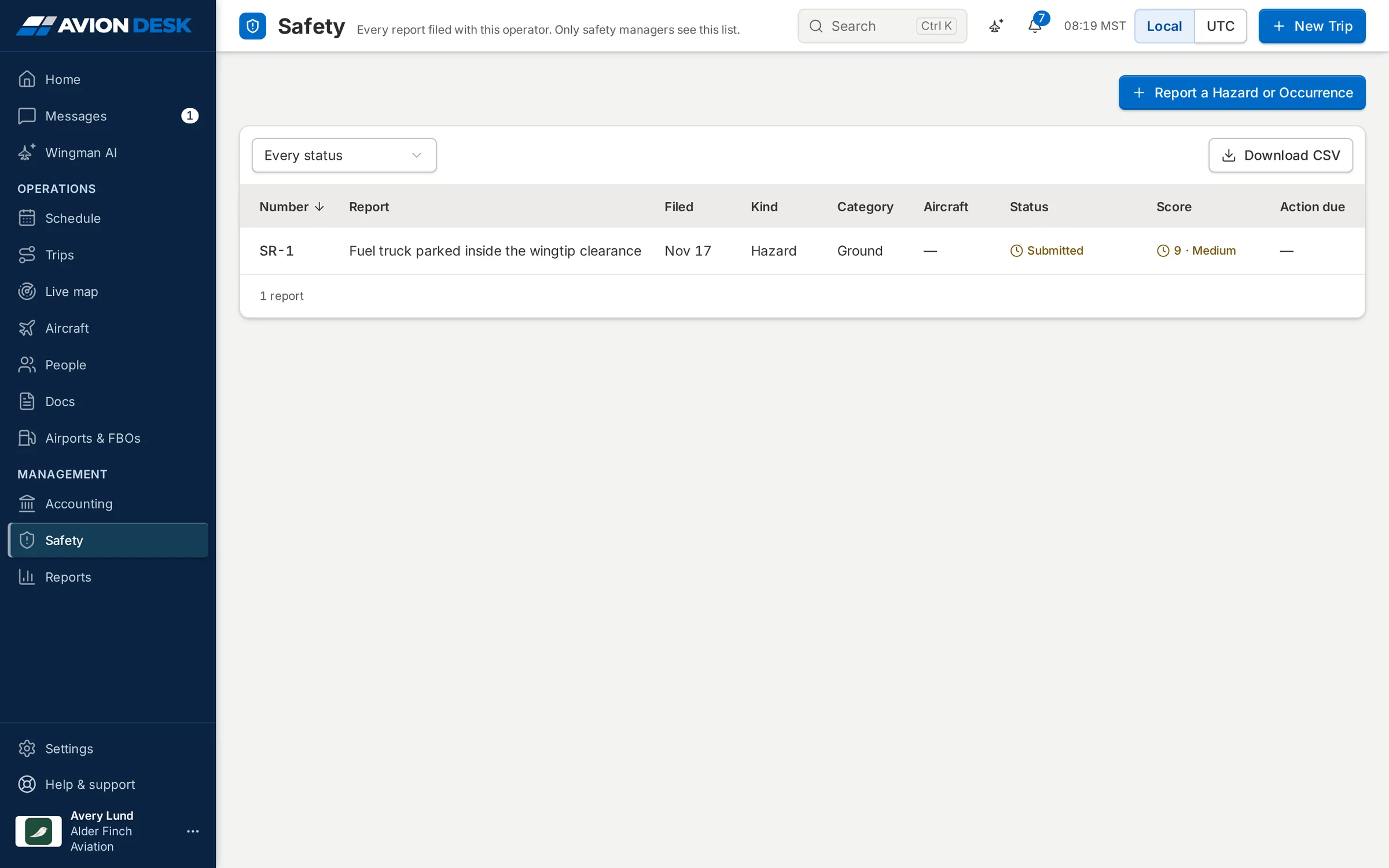
- Under Risk, click the square for how likely it is to happen again (down the side) and how bad it would be (across the top). The score is the two multiplied.
- Under Corrective action, write What will be done, choose Who and a Due date, and click Add the Action.
- Under Move it on, write a Note and click the next step: Start Review, Assign the Action, Close the Report or Back to Review.
| Score | Band |
|---|---|
| 1 to 4 | Low |
| 5 to 9 | Medium |
| 10 to 16 | High |
| 20 to 25 | Severe |
Download CSV saves the list with each report's number, dates, kind, category, aircraft, status, score and action dates. It leaves out what was written and who filed it. Print on a report prints that report.
Safety figures in Reports
The Safety group in the Reports menu has two reports. Safety reports counts reports filed by category and risk, and how fast they close. Safety managers see it, and Admins too when an Admin turns on Safety figures in Reports in Settings, Company. It shows counts only, never what a report says or who filed it, and it is never emailed, not even on a schedule. Trip risk scores is about trips, not safety reports, and opens for Admins, Schedulers and Trip builders.
Can’t find what you need? Email [email protected] and a person will answer.