

Accounting
Credit notes
An issued invoice never changes. To take money off it, issue a credit note against it. The note is numbered, final, and lowers the invoice's balance.
Admin and Bookkeeping issue credit notes. The invoice must be issued, not void, with something left to credit, and your subscription must be active.
- Issued invoiceThe client was billed and something needs to come off.
- Credit noteThe office says why and chooses what to credit. The note gets the next CR number.
- BalanceThe invoice's credits go up and its balance down.
- SettledPaid, Credited, or Refund due when credits and payments pass the total.
Issue a credit note
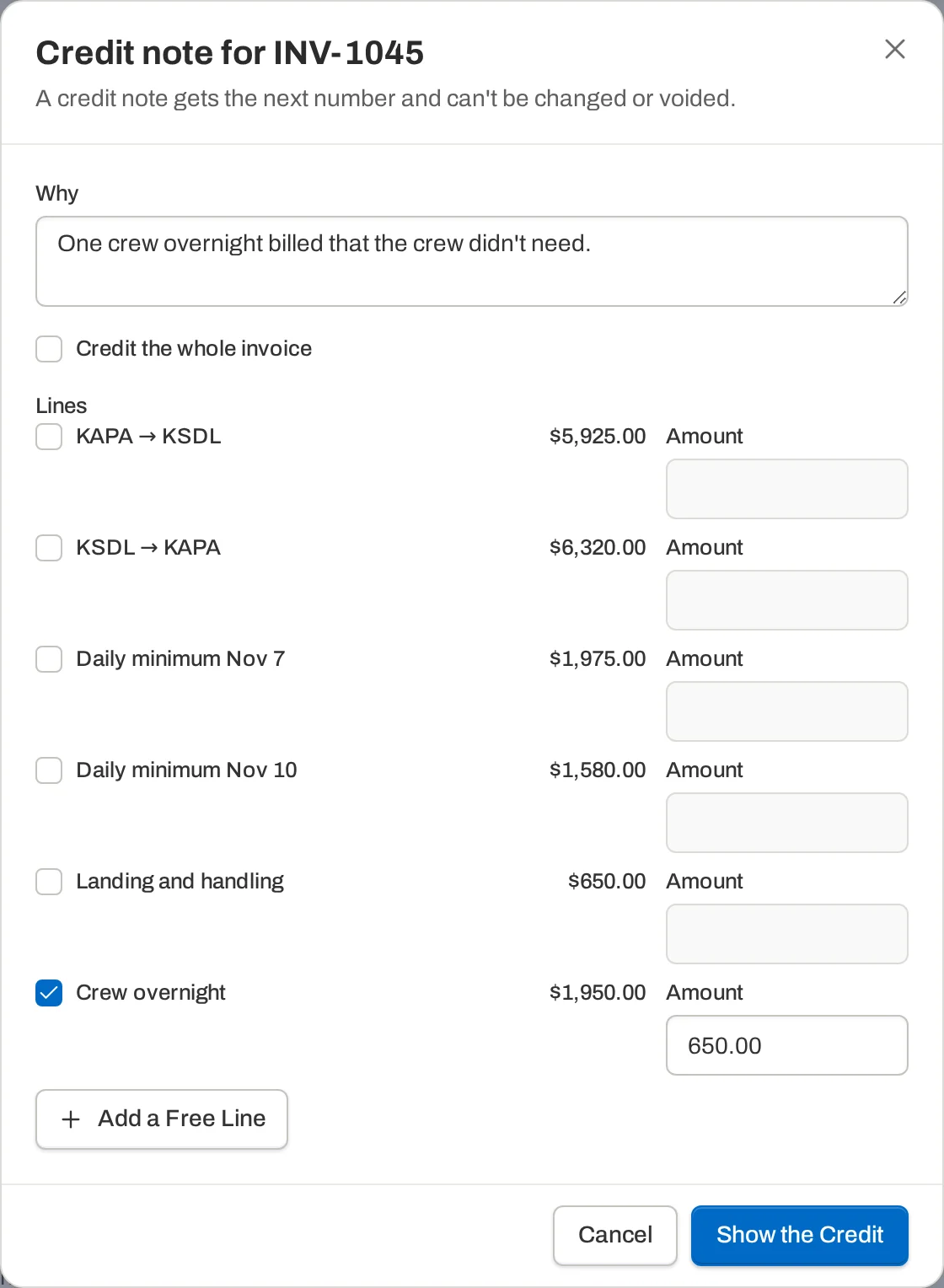
- Open the invoice, click Actions and choose Credit Note.
- Under Why, say what the credit is for. The client sees it.
- Tick Credit the whole invoice, or tick lines and enter an Amount for each, up to what is left on it. Federal excise tax is credited with the lines it taxed.
- For a goodwill credit not tied to a line, click Add a Free Line.
- Click Show the Credit to see the note with its tax worked out.
- Click Issue Credit Note.
After the credit
- The note adds to the invoice's Credits on the Money card and is listed there as Credit note with its number. Open it from there, or print it.
- If the balance reaches nothing and nothing was paid, the invoice shows Credited.
- If the client already paid more than is now owed, the invoice shows Refund due. Pay them back, then click Record Refund with the date and method.
- Nobody is emailed. On the Charter plan the client sees the note in the client portal, under the invoice.
- With QuickBooks connected, the note goes there too.
Credit note or void?
Void an invoice when nothing has been paid or credited on it and the whole bill was wrong; its trip can then be billed again. Use a credit note when the client has paid, or when only part of the invoice was wrong. When a trip changes after its invoice is issued, the invoice warns you and says which to use.
Credit note numbers use the credit note prefix set in Settings, Accounting. The report Credit notes, voids and refunds lists every one, with the reason.
Invoices and paymentsIssuing invoices and recording payments.
ReportsThe Credit notes, voids and refunds report.
Can’t find what you need? Email [email protected] and a person will answer.