

Aircraft
Aircraft owners and costs
The **Owners & costs** tab holds the money side of an aircraft: who owns it, the fees you charge them, and what the aircraft costs you to fly.
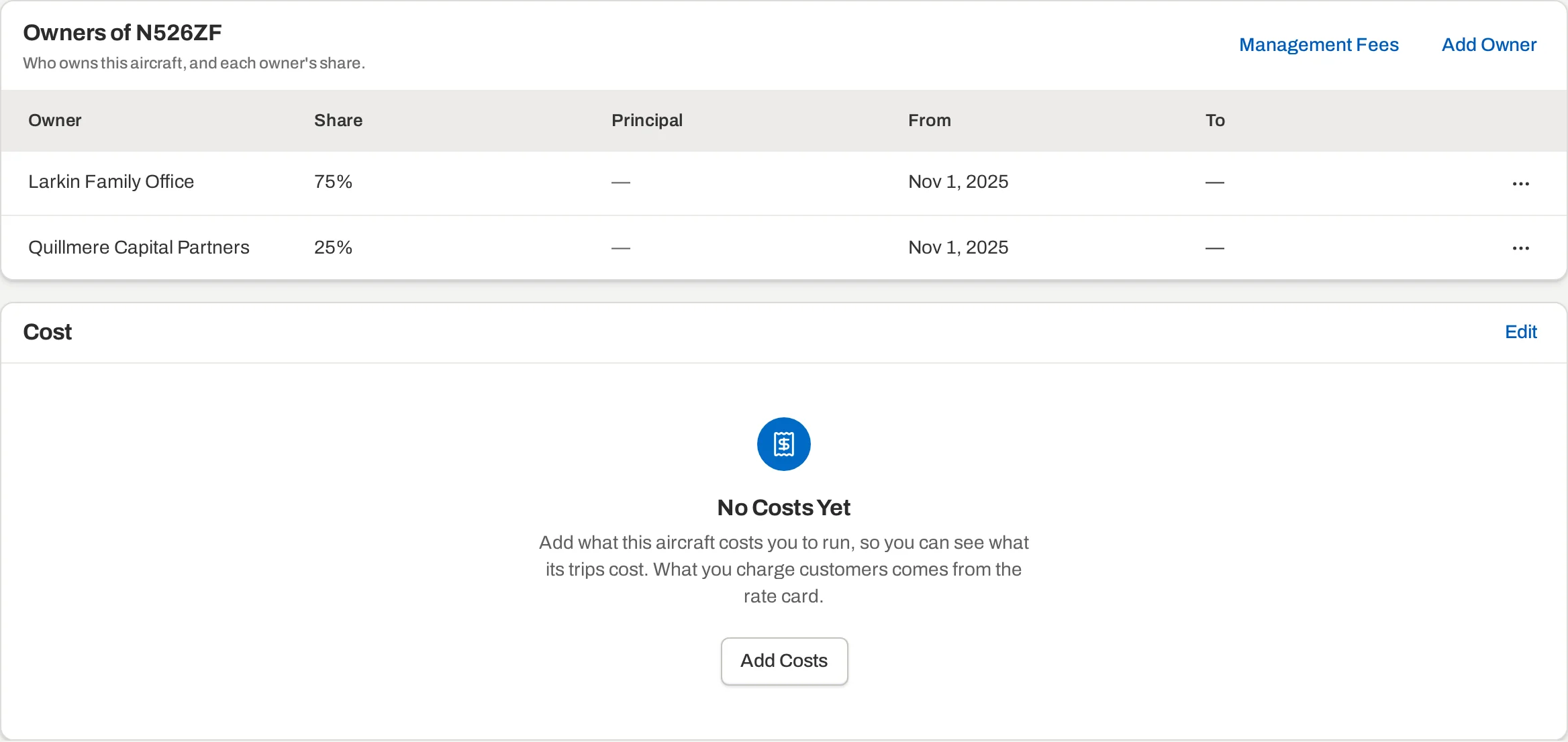
Everyone can read the costs. The owners list is part of the Charter plan and shows to Admin, Scheduler, Trip builder and Bookkeeping; without it, the tab is called Costs and shows the costs alone.
Add an owner
Admin and Scheduler add, end and remove owners.
- Open the aircraft, then Owners & costs.
- Click Add Owner.
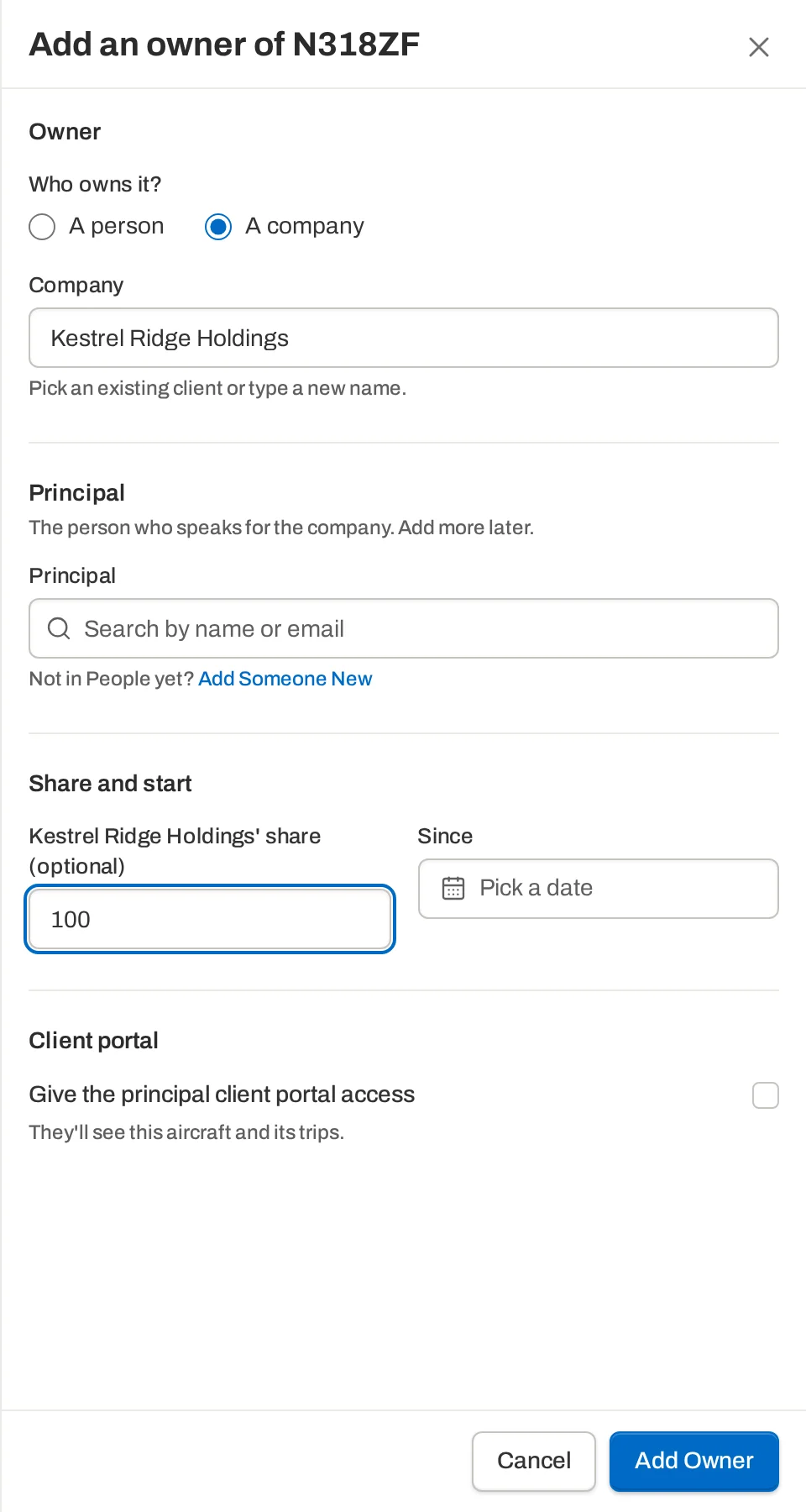
- Under Who owns it?, choose A person or A company. For a person, search for them under Owner. For a company, pick an existing client or type a new name, then search for the Principal, the person who speaks for it. Add Someone New adds a person who isn't in People yet.
- Enter the owner's share in percent and the Since date. The share is optional for a sole owner; with more than one owner, each needs one before their statements open.
- To let the principal see this aircraft and its flights in the client portal, tick Give the principal client portal access. They can then book trips but not see prices, so add Can see prices and invoices on the client's Portal card if they should see owner statements.
- Click Add Owner.
Each owner's row shows the Share, the Principal and the From and To dates. When an ownership ends, choose End Today from the row's menu, or edit its To date to end it on another day. Remove is for a row added in error.
The client portalWhat owners see when they sign in.
Set management fees
Where your plan includes owner statements and the Accounting section is on, Management Fees on the owners card sets the monthly fees you charge each owner. Admin, Scheduler and Bookkeeping can open it; only Admin and Bookkeeping add or change fees. For each fee, choose the Owner, give it a Label, enter the Amount a month, and set From and, if it ends, To. Each month makes a draft invoice for the fee. Once you issue it, it shows on the owner's statement.
Owner statementsWhat an owner's monthly statement holds.
Enter what the aircraft costs to run
The Cost card holds what the aircraft costs you, so trips can show their cost. What you charge customers comes from the rate card, not from here. Admins and mechanics edit it.
- On the Cost card, click Add Costs (or Edit once there are some).
- Choose the Currency.
- Enter Fixed per month and Planned flight hours a year; the fixed cost is spread over the year's flying.
- Enter a Typical landing fee (per landing) and Typical ramp fee (per night away from base).
- Enter the Per flight hour cost. Leave fuel out of it if you record fuel receipts, or a trip's cost counts fuel twice.
- Click Save Cost.
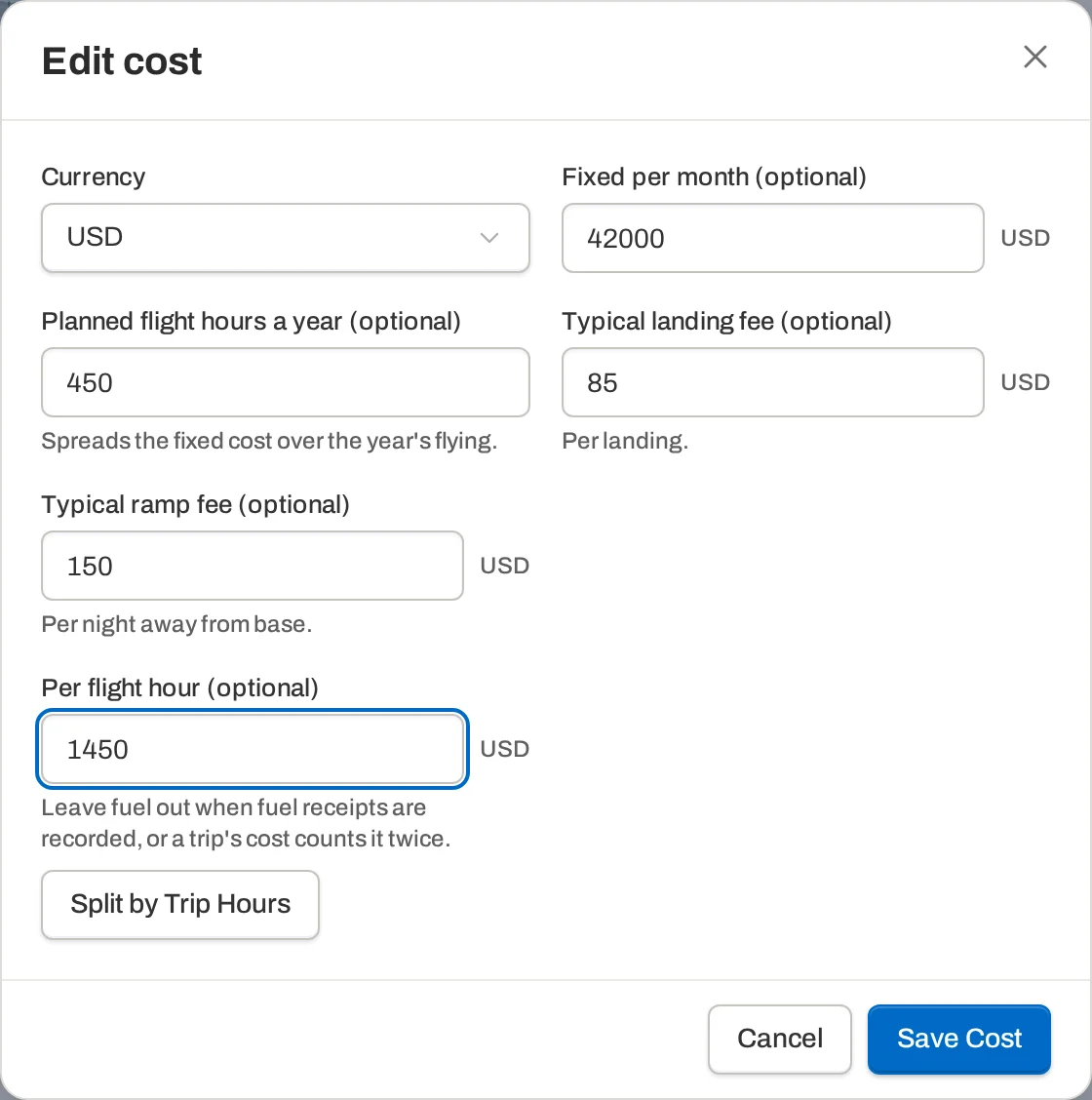
If the hourly cost changes with trip length, click Split by Trip Hours to set a rate for each band of hours. Each rate covers only the hours inside its band, counted across the whole trip.
Expenses the owner paid
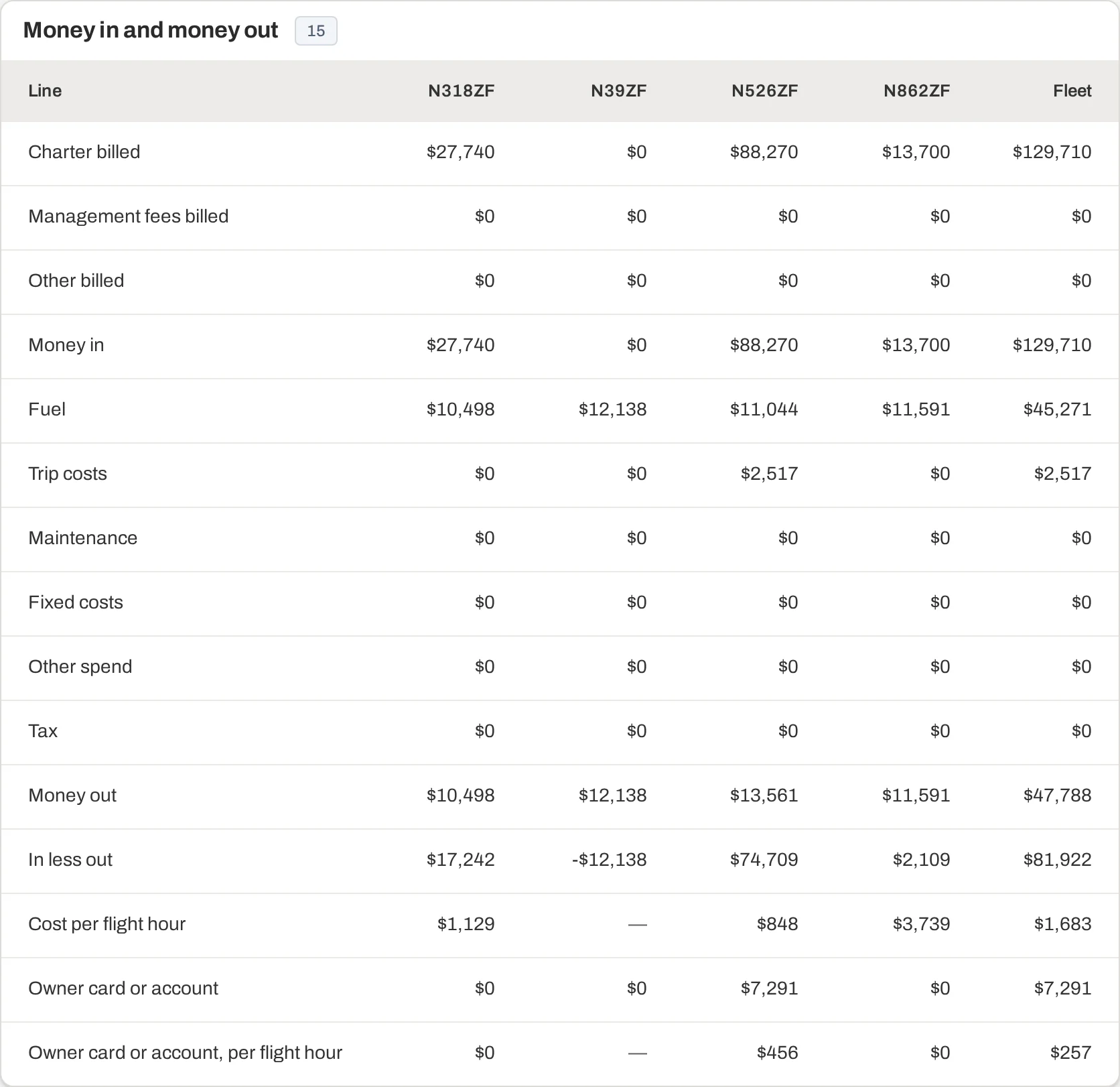
Some owners leave a card in the airplane for the crew. A receipt paid with Owner card or account is kept apart from your own spending: it is never billed to the owner, never paid back and never part of a trip's cost. It is listed on the owner's statement. In Reports, Owners, Aircraft results it has its own line, Owner card or account, with what it comes to per flight hour, and it is never counted in Money out. For the month-end summary you send each owner, open Owner card or account in the same reports.
ExpensesRecording receipts and who paid.
Can’t find what you need? Email [email protected] and a person will answer.